Project Log · Tamgu Lab · TC Columbia

AirStory

Building a K–12 air quality learning system from scratch — sensor hardware, data platform, and SSI curriculum. This is the record of how it happened.

Role: Tech Design Team
Period: Oct 2025 – Present
Status: ● Active
Launch target: Summer 2027
Sensor case design in collaboration with Julia Ran Ju

Before anything else — paper and tape.

The very first prototypes were paper. Prototype #1 and #2, both dated 01/30/26, both signed Julia · Jiin. We cut, folded, and taped paper cases directly around the PCB to understand the real dimensions — how tight the fit needed to be, where the ports would land, how the sensors needed to breathe.

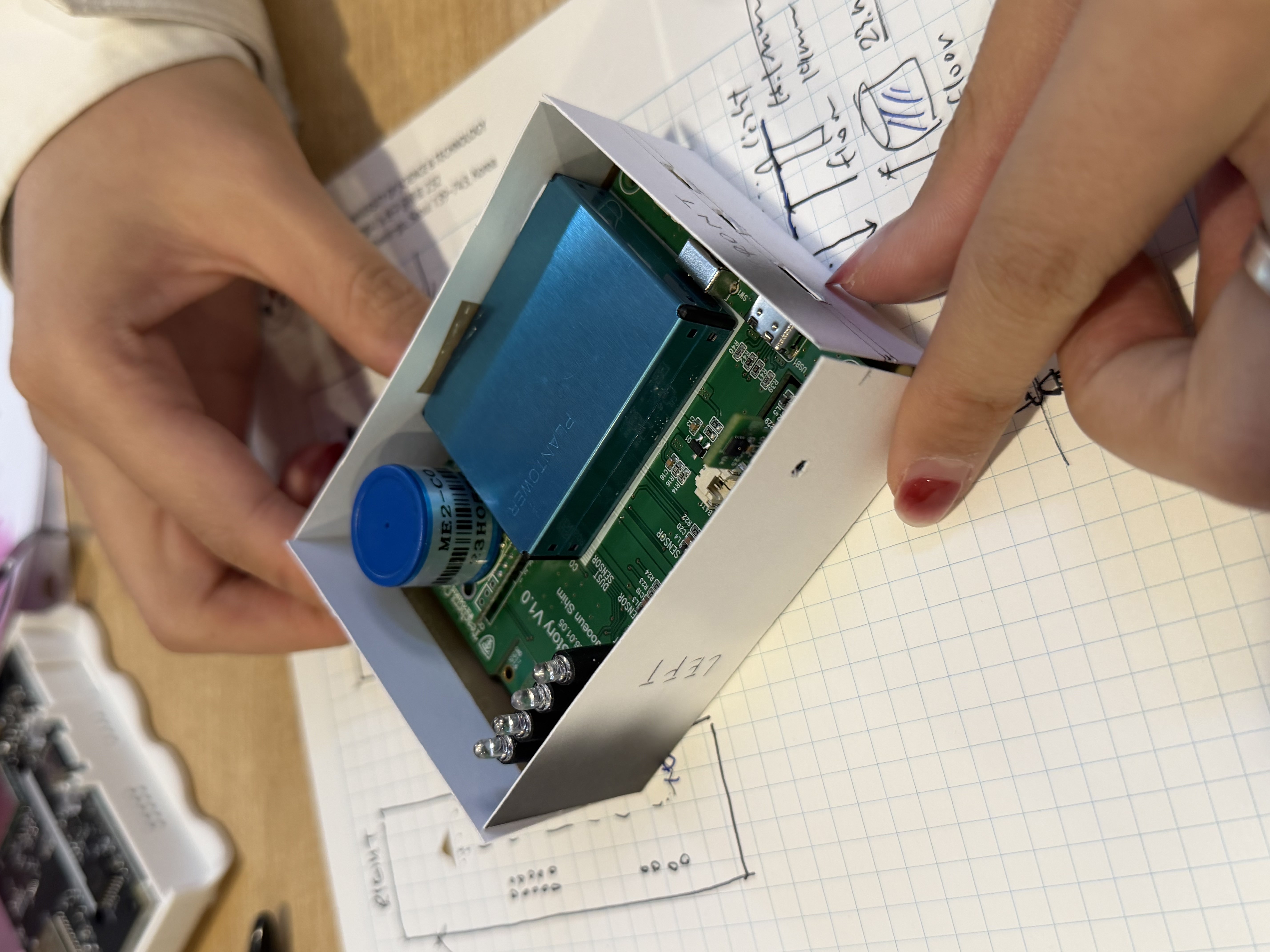
Working on graph paper with handwritten dimension notes alongside, it's the kind of step that doesn't show up in final deliverables but shapes everything that comes after.
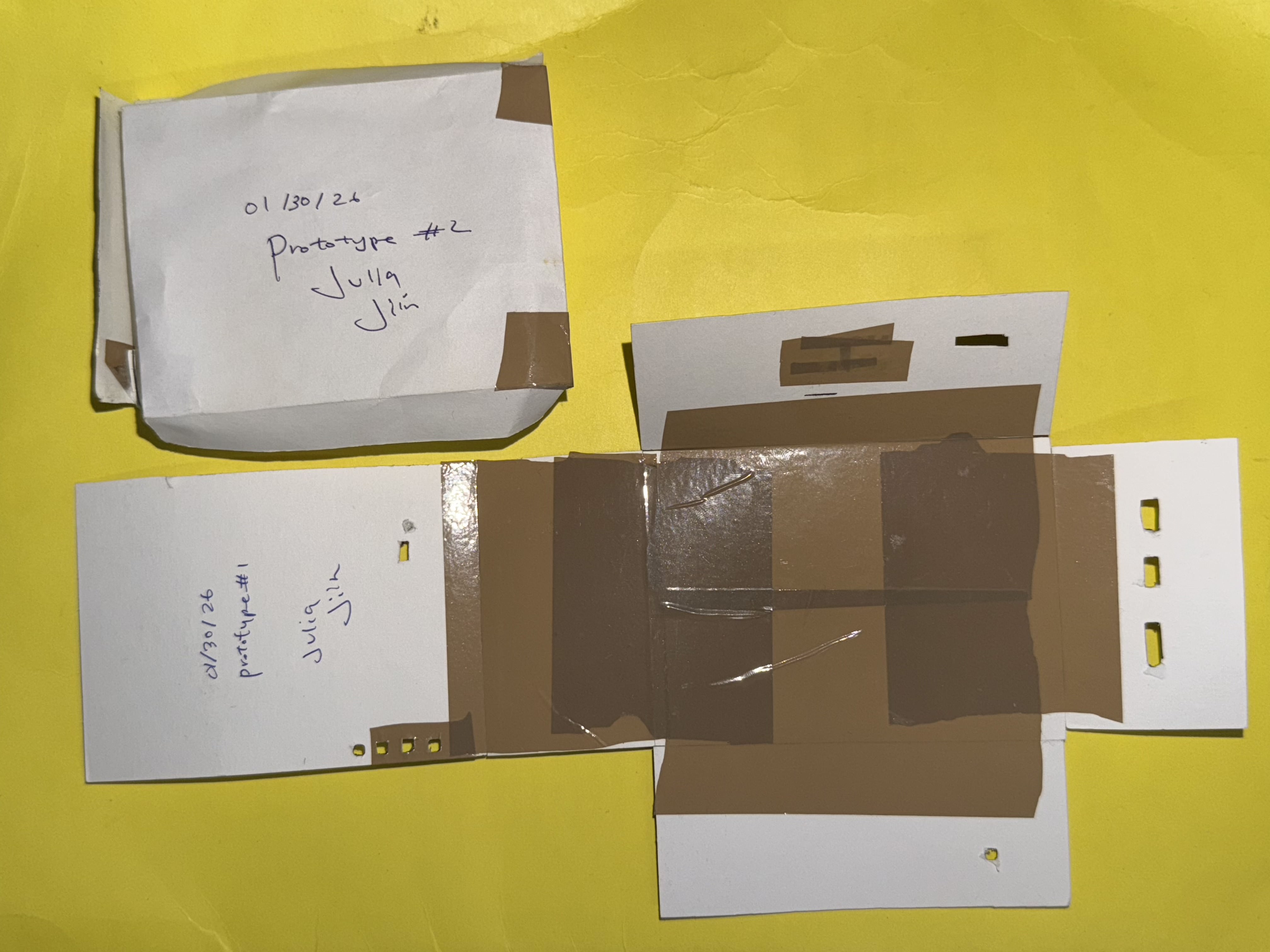
Paper prototypes #1 and #2 dated 01/30/26, signed Julia and Jiin
Paper case holding actual PCB board, graph paper with dimension sketches
w/ Julia Ran Ju
Paper prototyping AirStory V1.0 PCB Dimension sketching
Starting with foam — figuring out the shape.

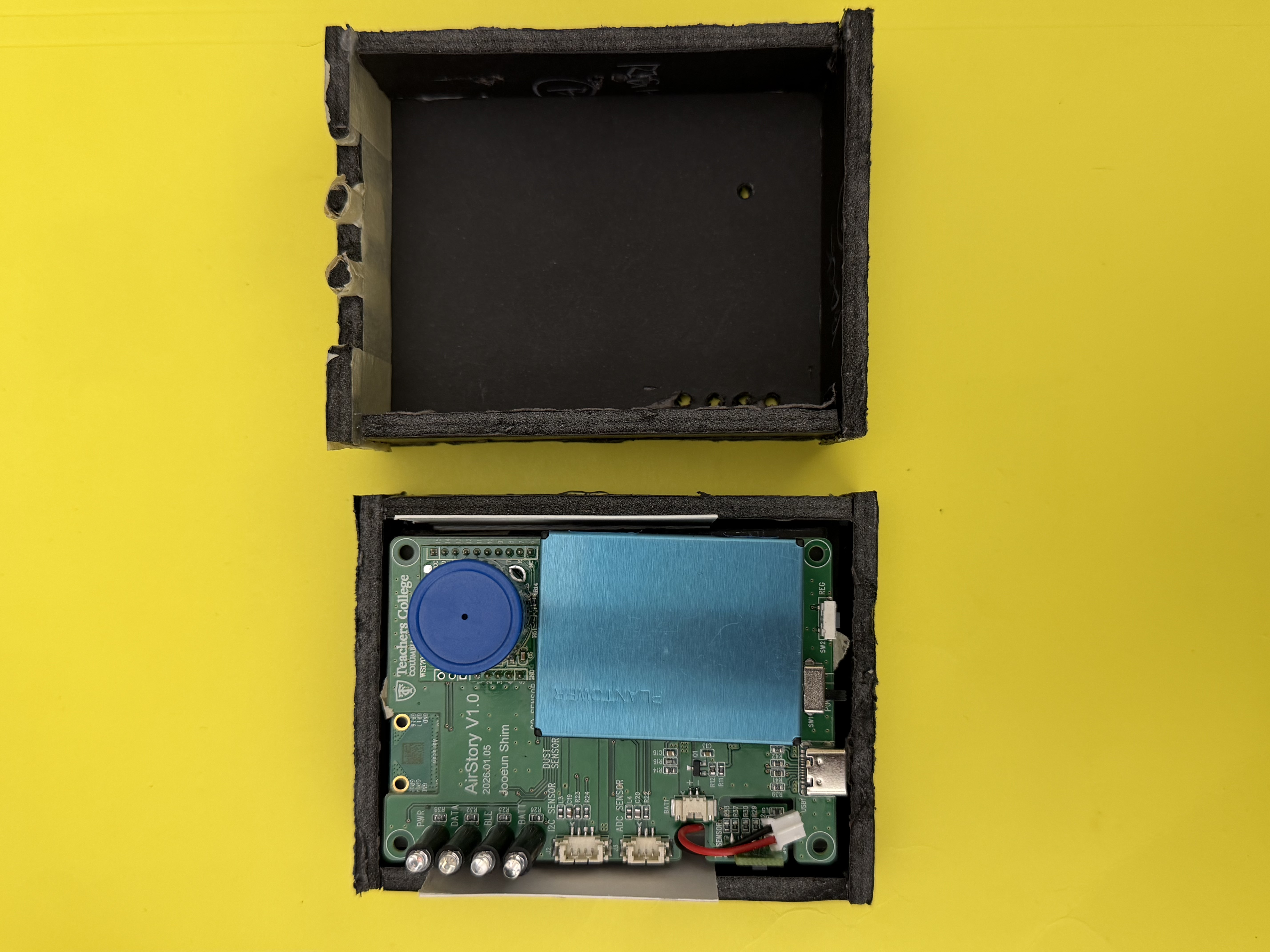
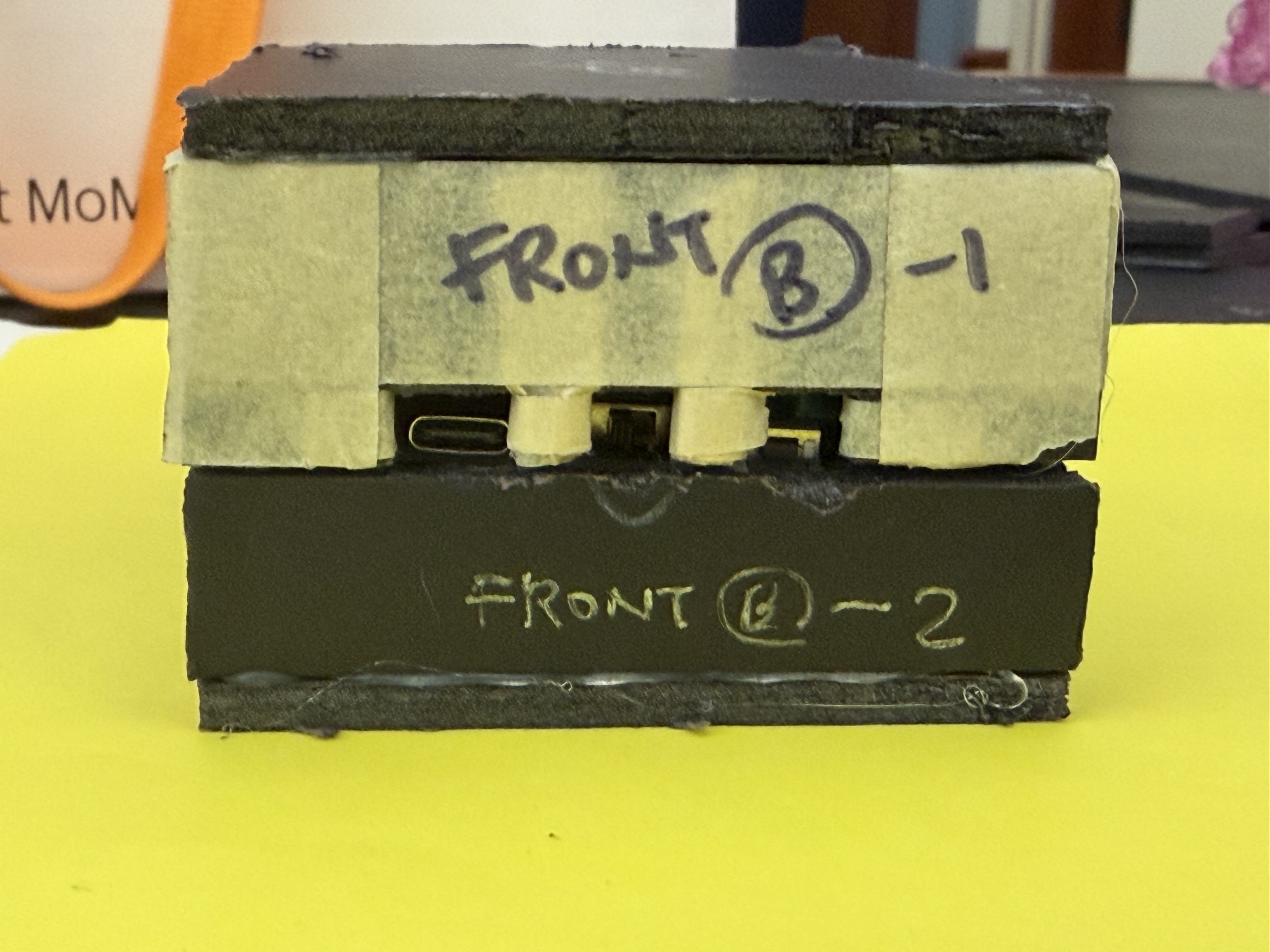
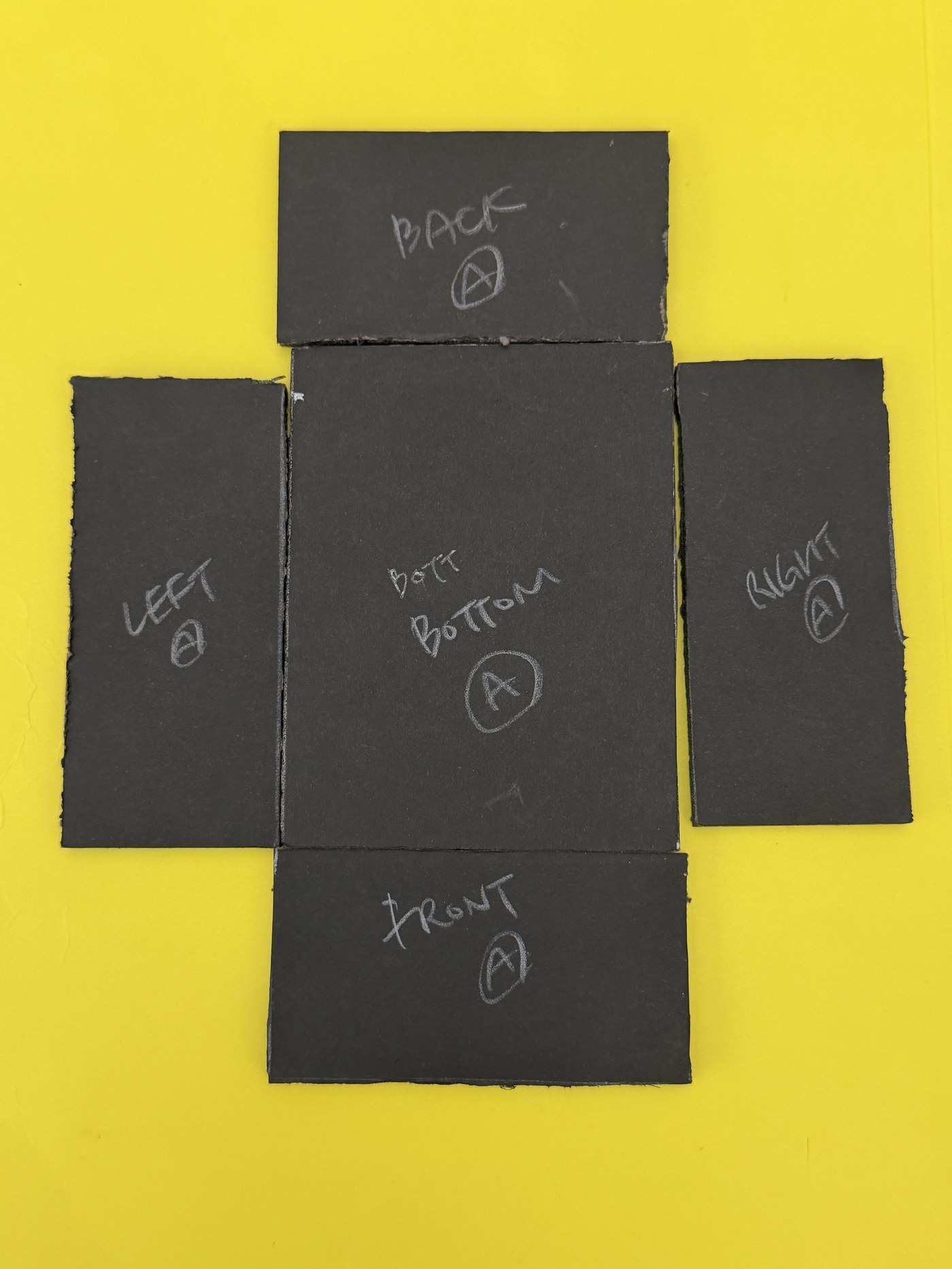
Before any laser cutting or 3D printing, we needed to understand the physical constraints of the sensor board. We started by cutting foam by hand to prototype the case shape and test fitment — mapping panel dimensions (back, bottom, front, left, right) before committing to any permanent material.

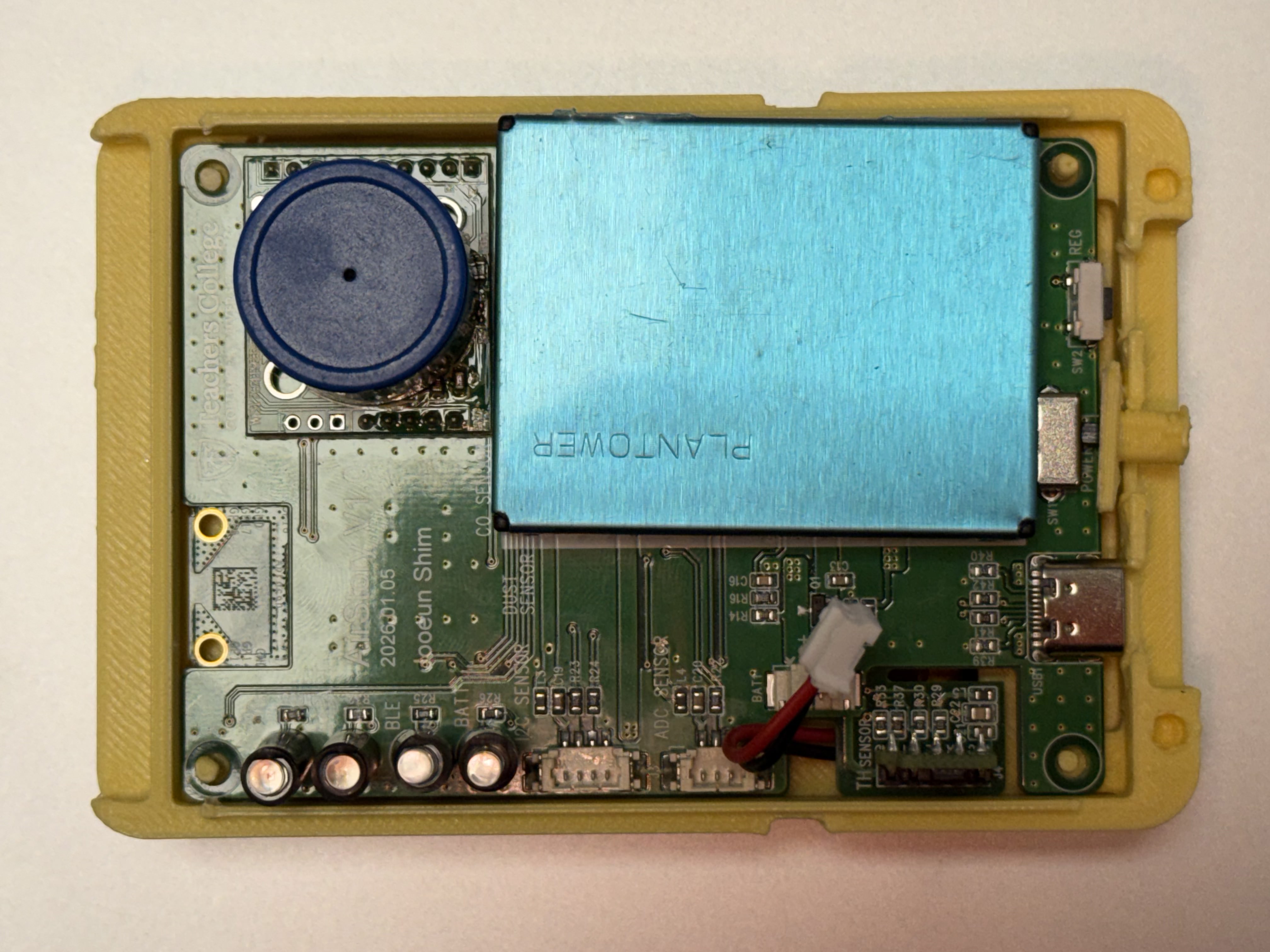
The foam phase was about learning: how big does the case need to be? Where does the USB port sit? How much clearance does the PLANTOWER PM2.5 sensor need to breathe?

Foam pattern pieces laid flat
Foam case open showing PCB board
Assembled foam prototype
w/ Julia Ran Ju
Foam prototyping PLANTOWER PM2.5 AirStory V1.0 PCB ME2-CO sensor

Moving to wood — laser cut on Glowforge.

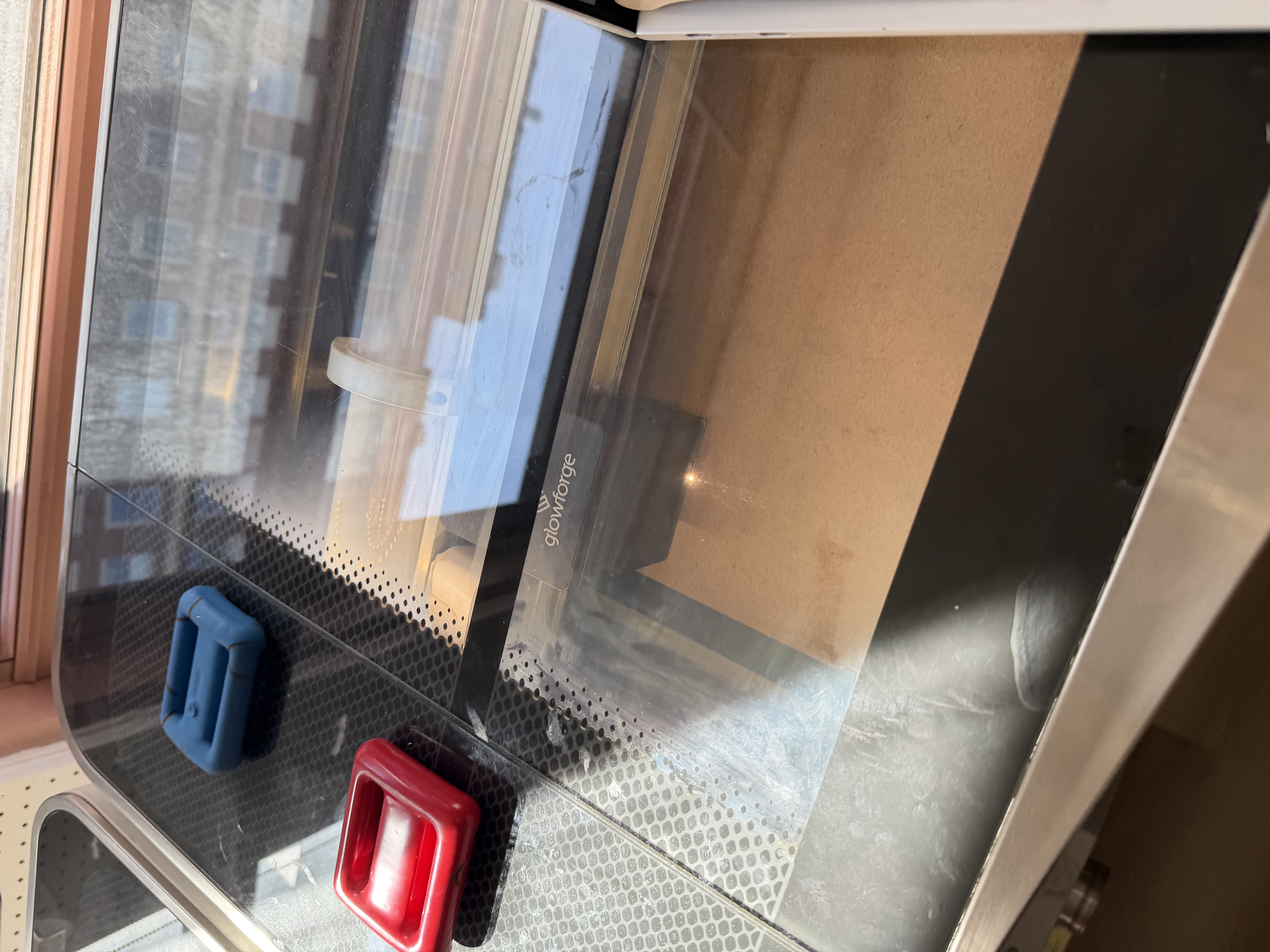
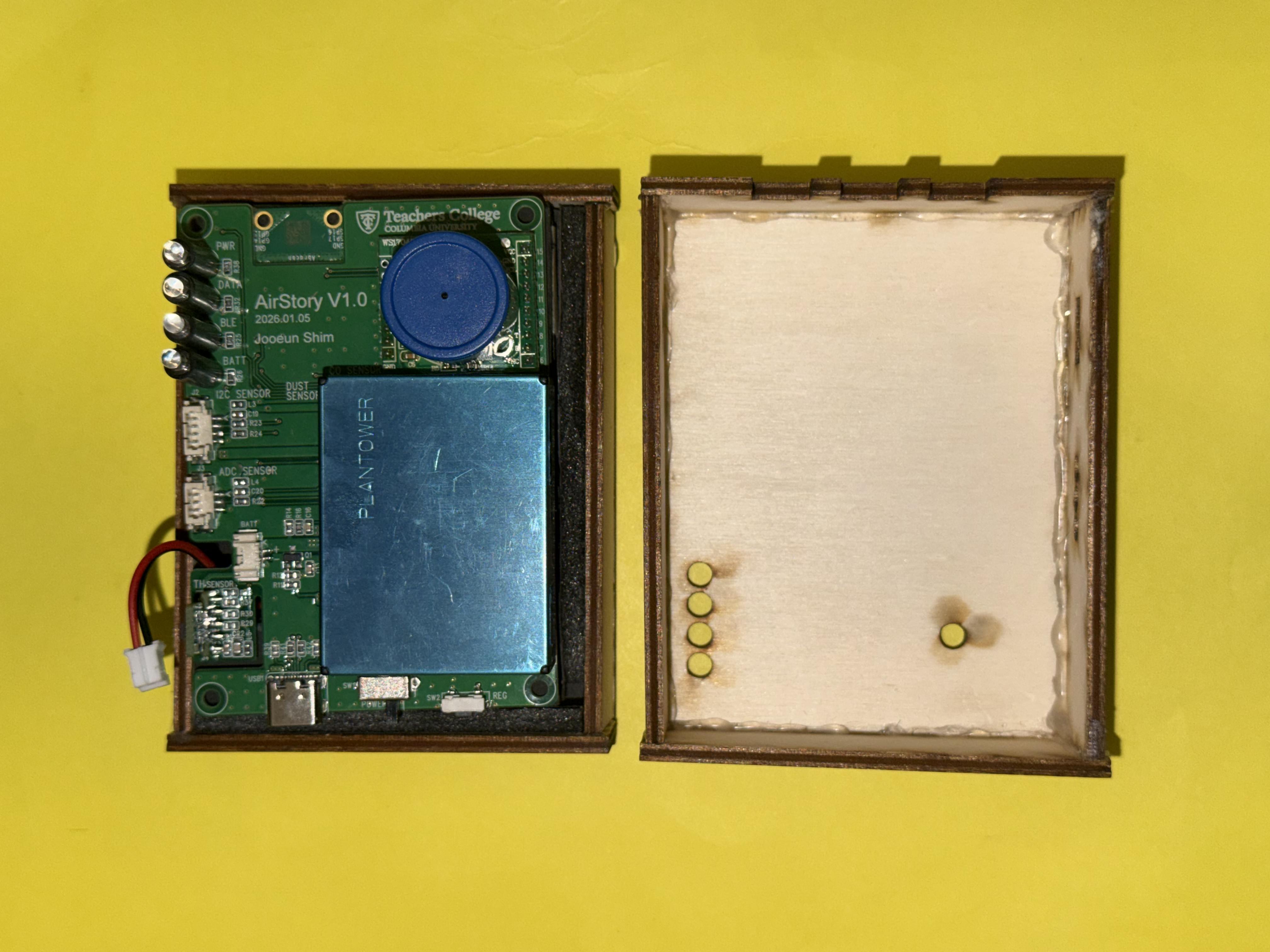
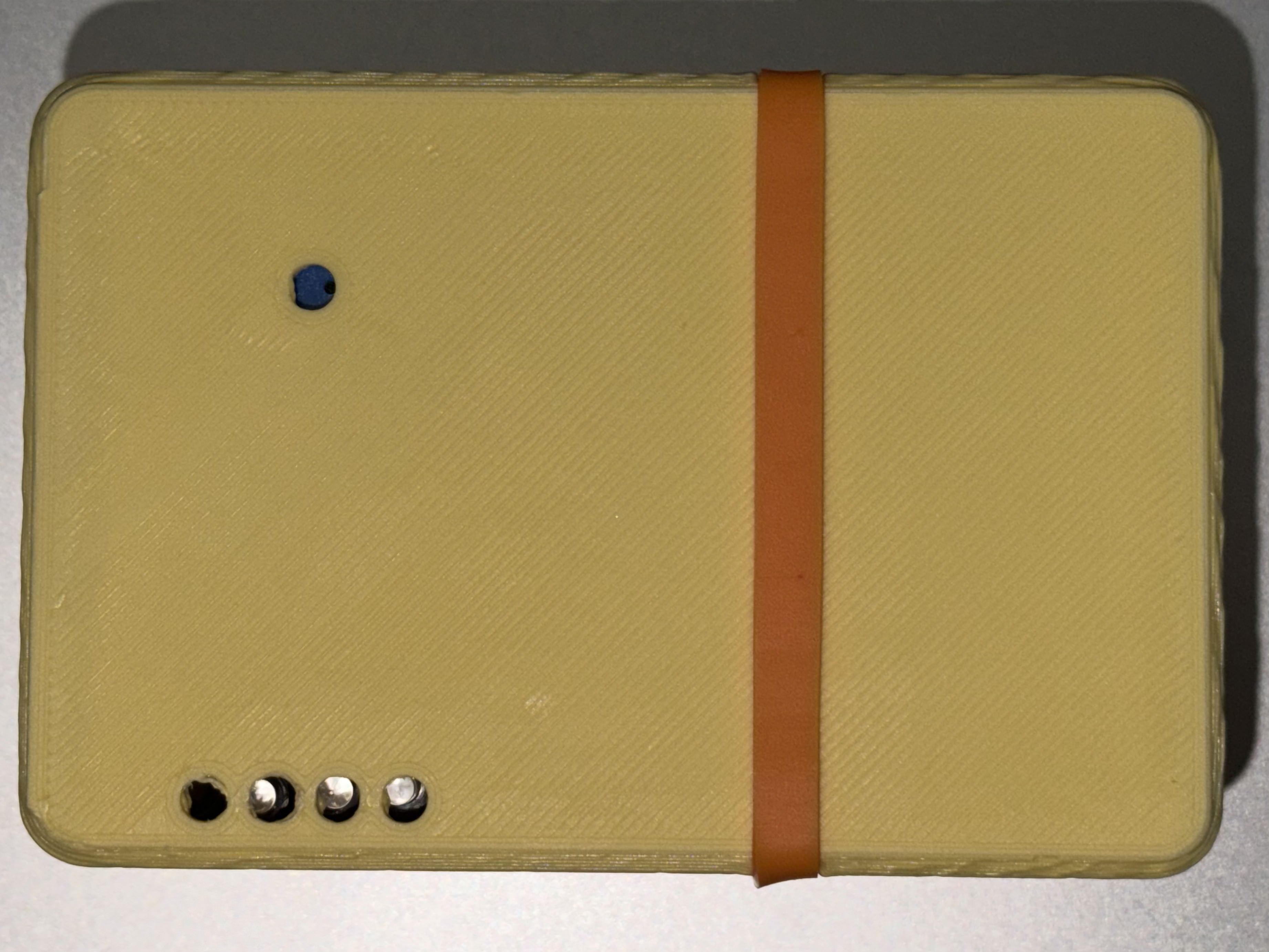
Foam was too thick — the sensor openings and LED indicators couldn't sit where they needed to, and the tolerances were off. We moved to laser cutting on a Glowforge to get precision cuts and real fitment. Wood let us be exact about where each component surfaced: sensor intake, LED window, USB-C port.

This phase took a while. Getting the holes in the right place, the right size, the right depth — sensors need airflow, LEDs need to be visible, nothing can block anything else. Several iterations before it felt right.

Glowforge laser cutter
Laser cut wood panels
Assembled wood case
w/ Julia Ran Ju
Glowforge Laser cutting Press-fit joinery

3D printed — the version we're going with.

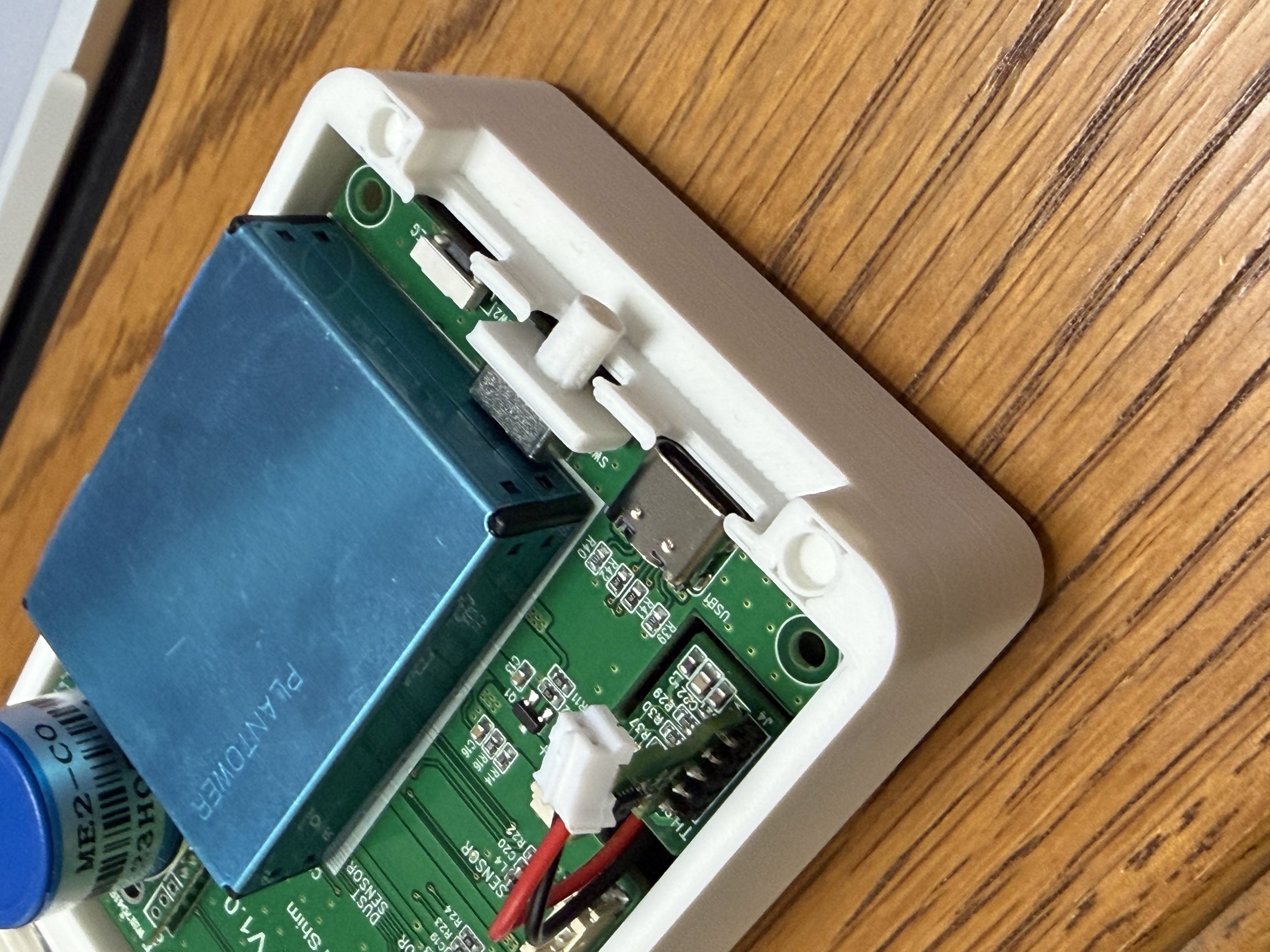
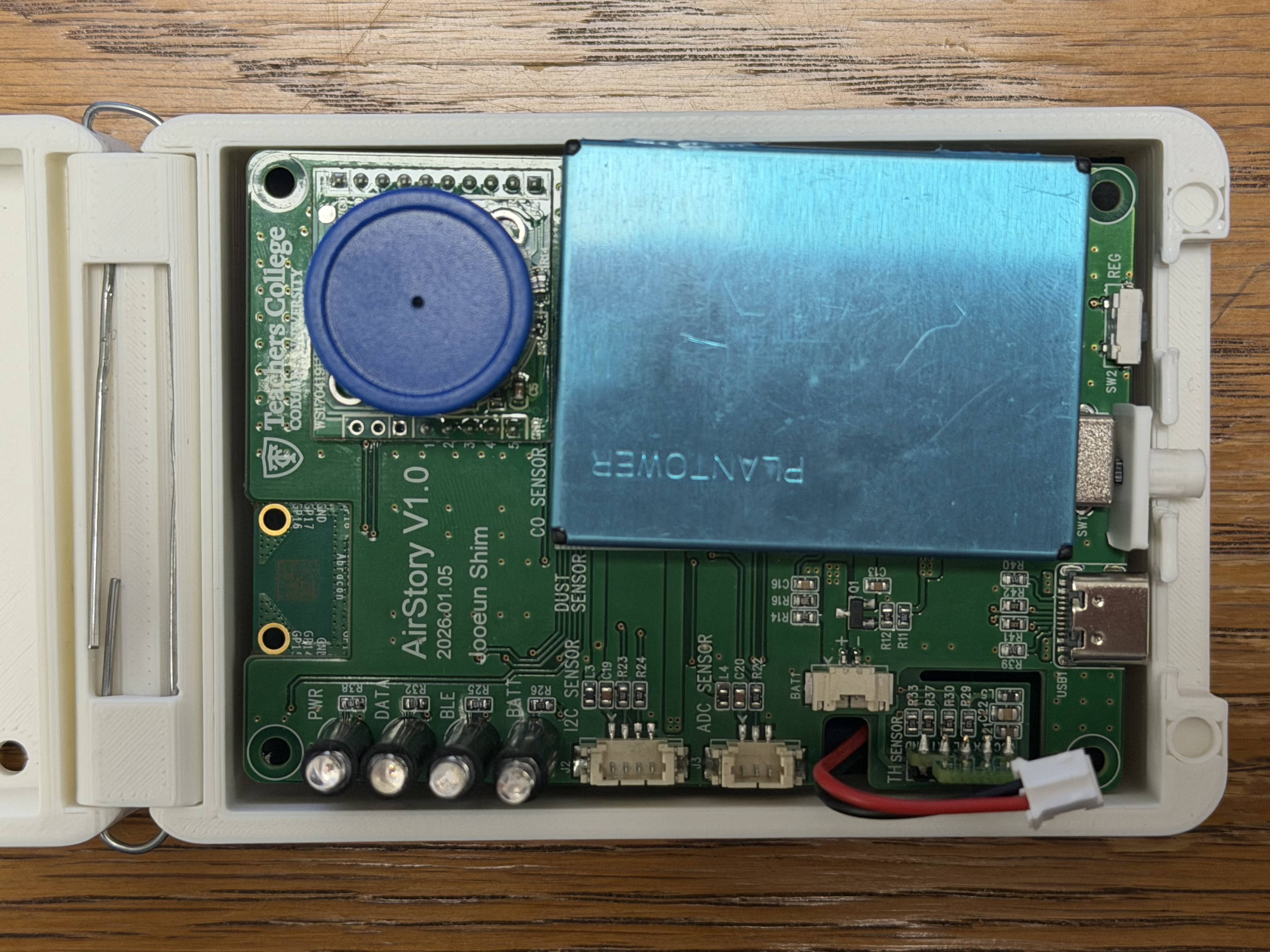
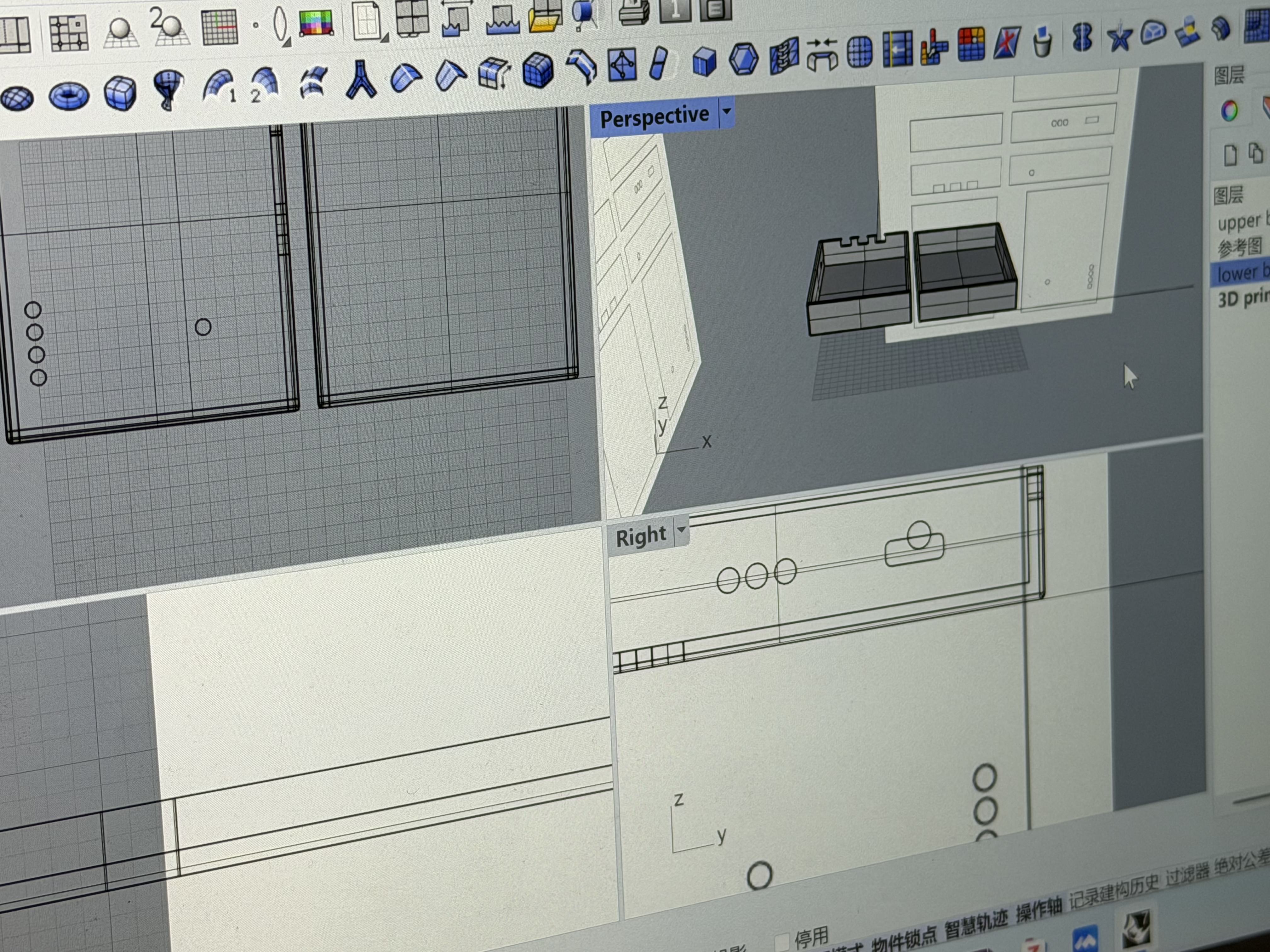
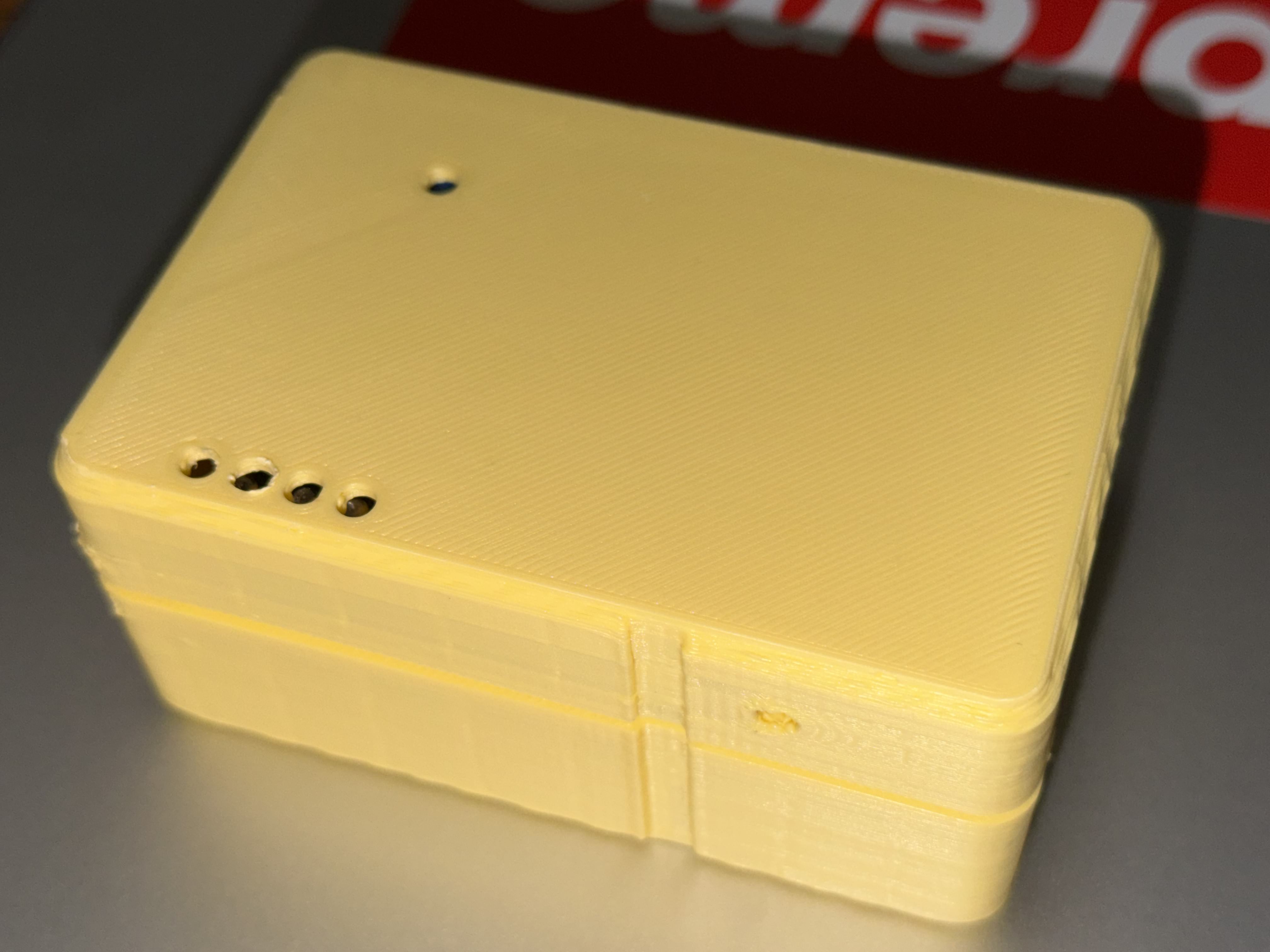
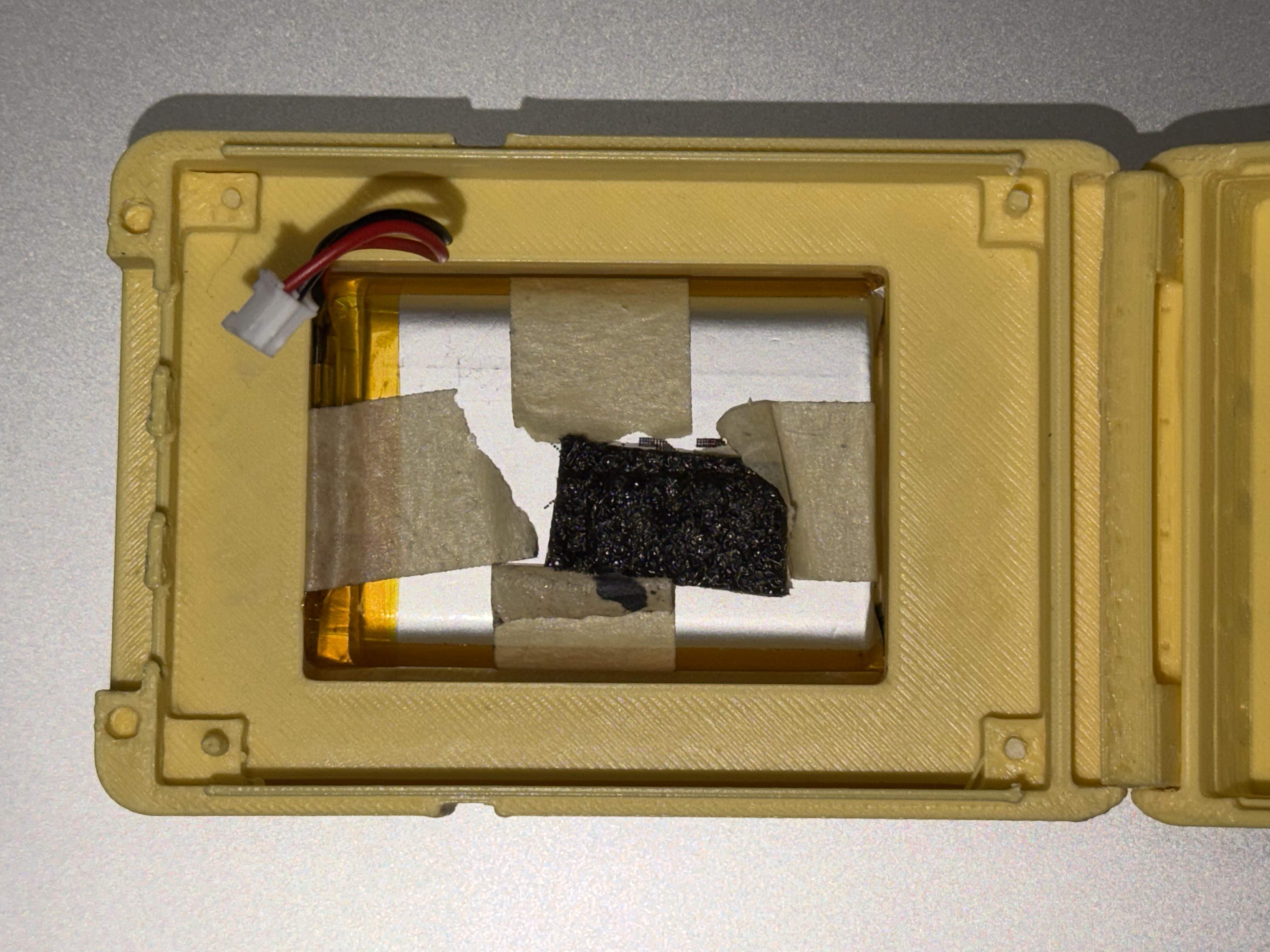
3D printing opened up design decisions that wood couldn't. Soft edges, clasp mechanisms, screw mounts — things that actually make a case feel intentional rather than constructed. The current version has proper fastening so the case stays closed in the field, and the edges won't snag or scratch.

Next step: finalizing the structure to be properly sturdy, and adding guidance directly onto the case — either printed stickers or engraved markings — so students can see where each component lives and what it does while they're collecting data. The inside should be readable, not mysterious.

3D printed white case with PCB inside
3D printed case side view
Assembled 3D printed sensor unit
3D design & printing by Julia Ran Ju
3D printing · PLA CAD design USB-C Production-ready

Version 0.0 — features first, design later.

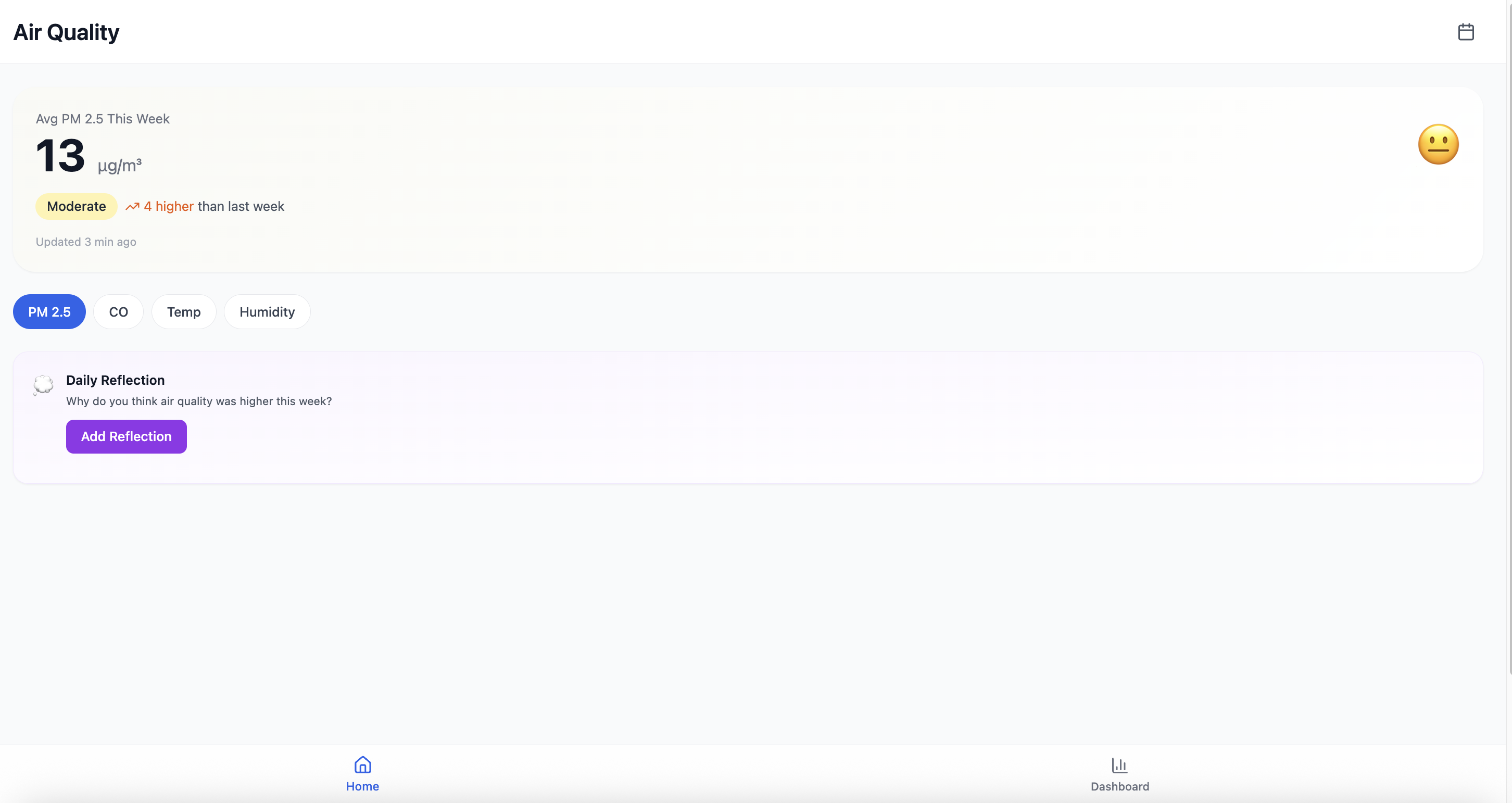
Version 0.0 was a medium-fidelity wireframe thrown together to prove the data pipeline worked. PM2.5, CO, Temp, Humidity, trend charts, a Daily Reflection prompt — everything in, no UX thinking applied. No empty states, no design system, no user flow. The only question was: does the data show up?

It did. Ship it and move on.

V0 app - Air Quality home, PM2.5 13 μg/m³, Moderate badge, Daily Reflection prompt
V0 app - TAMGU Air 1.0 dashboard, PM2.5 trend chart
Mobile app PM2.5 · CO · Temp · Humidity SSI reflection prompts Real-time data

Adding trends, calendar, and group structure.

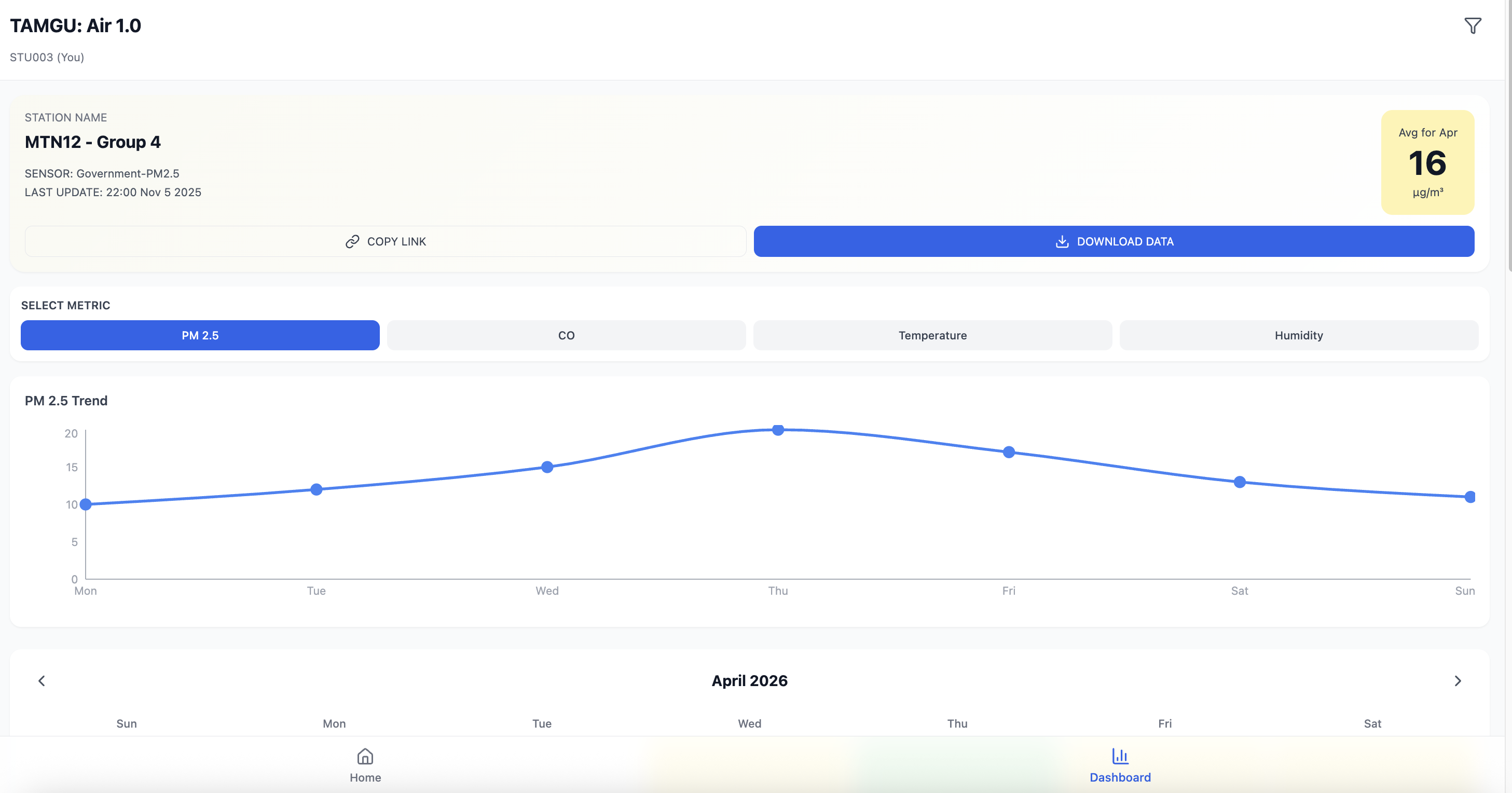
Version 1 introduced group-level organization — students belong to a school, class, period, and group. The dashboard now shows weekly trends and a monthly calendar view, letting students track change over time rather than just a single snapshot.

Station naming (MTN12 · Group 4), data download, and persistent group identity made this the first version that felt like a real classroom tool.

V1 - TAMGU Air 1.0, PM2.5 trend chart, April 2026 calendar
V1 - Air Quality home, Moderate badge, Daily Reflection
Group hierarchy Weekly trend chart Monthly calendar CSV download

AIR @TAMGU — the full platform.

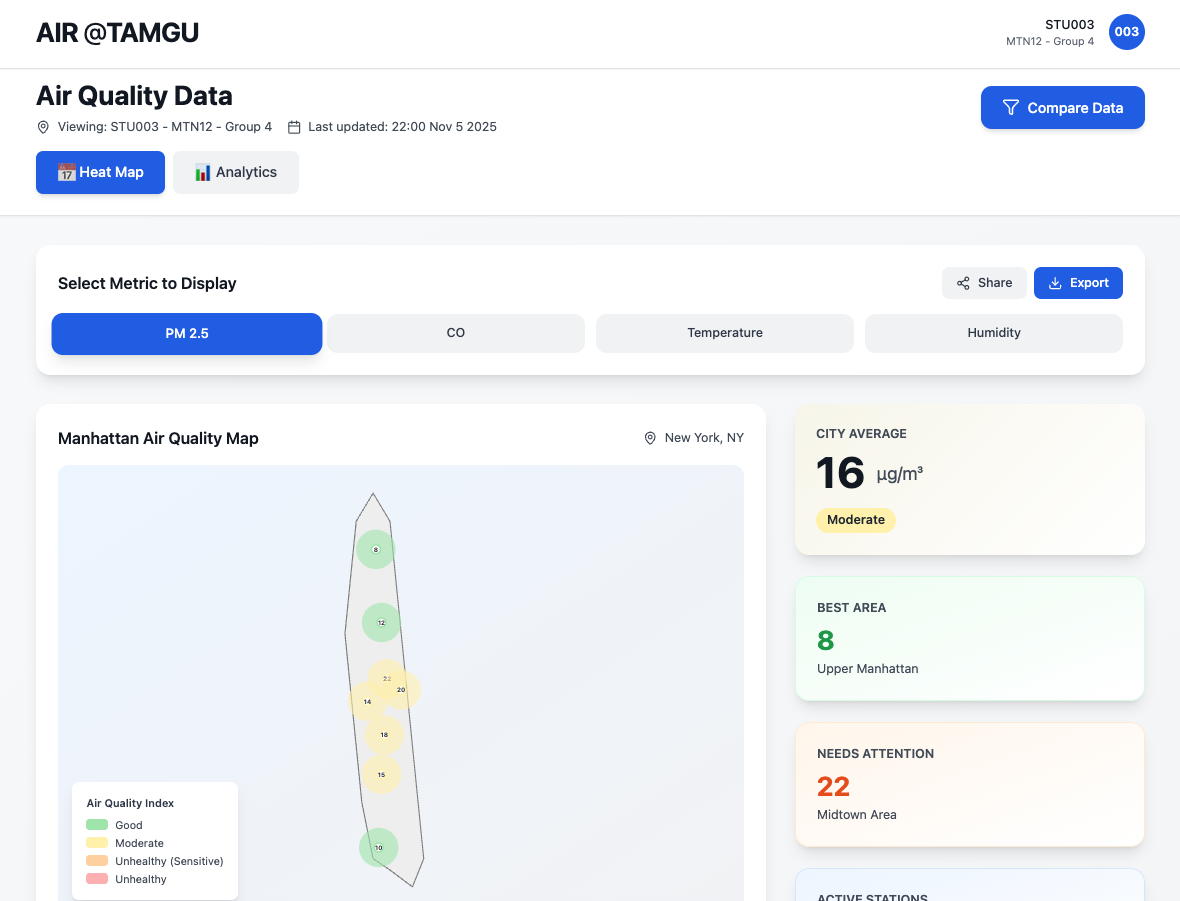
Version 2 is the current deployed system at haetalkim.github.io/tamguingAIR. Built with React, Express, and PostgreSQL, connected to OpenAQ for city-level reference data and Google Maps API for geospatial visualization.

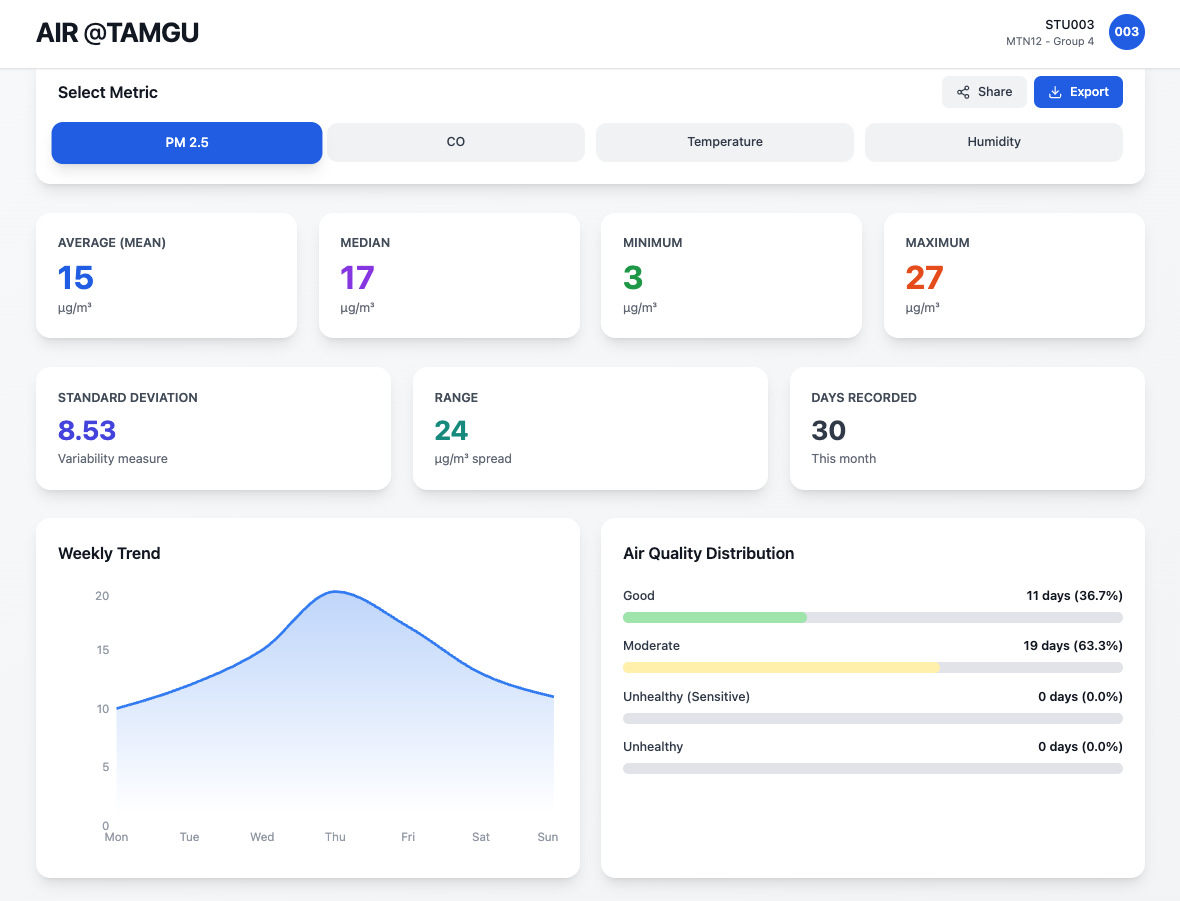
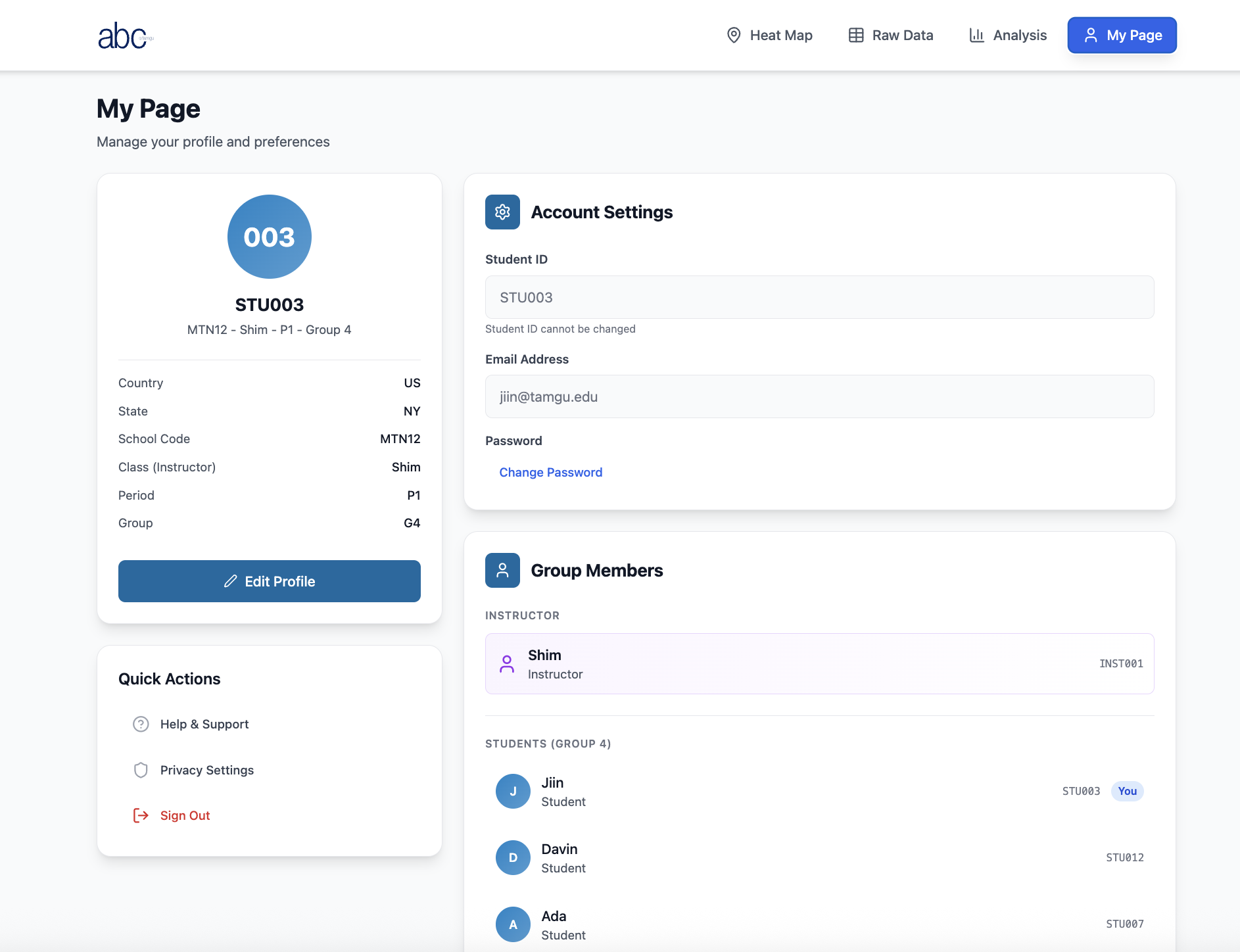
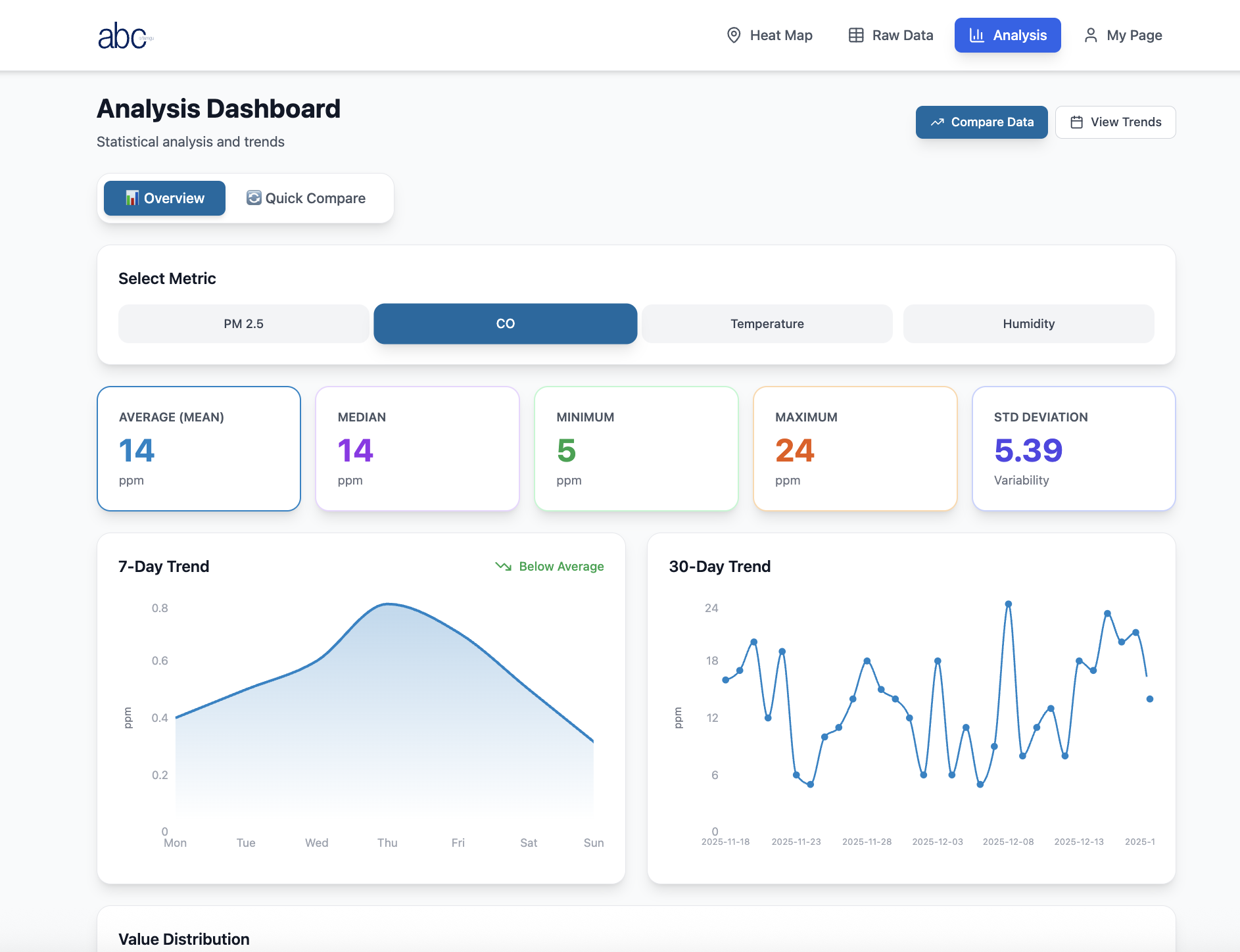
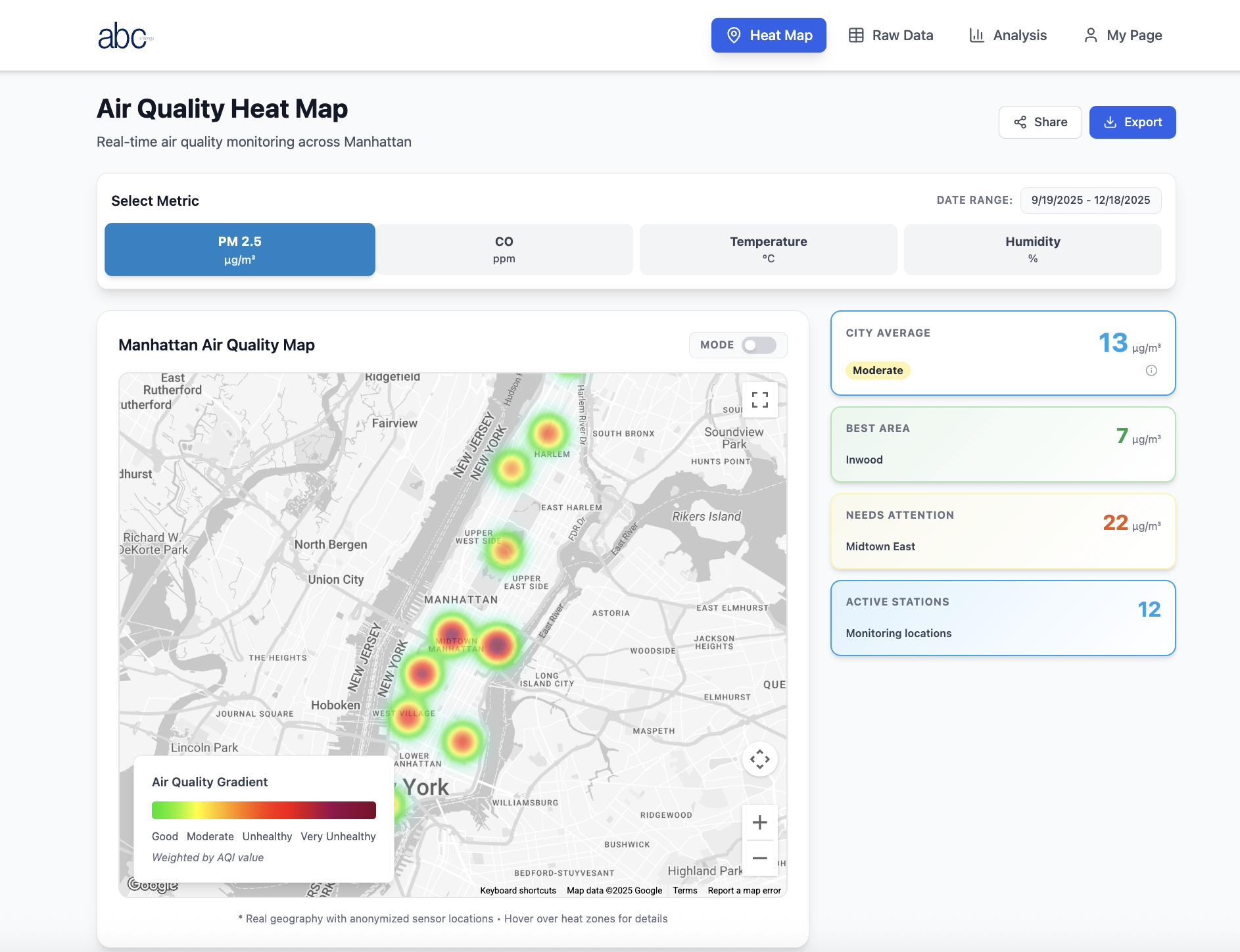
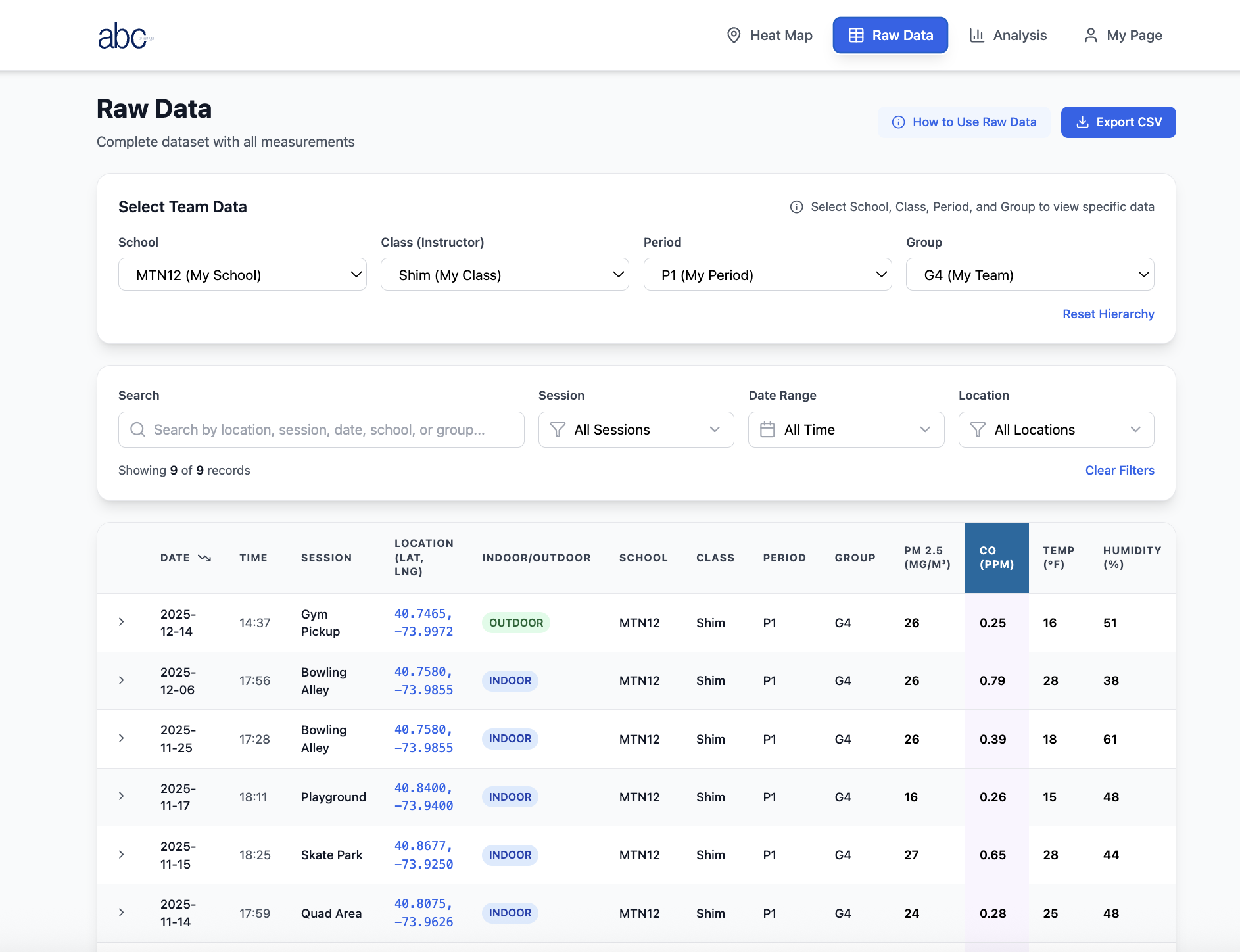
Four main views: Heat Map (real-time air quality across Manhattan, color-coded by AQI), Raw Data (filterable by school/class/period/group, CSV export), Analysis (statistical dashboard with 7-day and 30-day trends), and My Page (student profile, group members, account settings).

Teacher-generated join codes let students register to a class. Role-based access separates instructor and student views.

Accessibility was built in from the start — color coding throughout the platform follows guidelines for visual accessibility, and the Heat Map includes a colorblind-friendly mode that can be toggled on. Data shouldn't be readable only by some students.

V2 Heat Map - Manhattan PM2.5 stations, city average 13 μg/m³
V2 Raw Data - filterable table with school/class/period/group hierarchy
V2 Analysis - mean 15, median 17, min 3, max 27, weekly trend, distribution
V2 My Page - student profile STU003, MTN12 Group 4, group members

Heat Map · Raw Data · Analysis · My Page

React Express PostgreSQL OpenAQ API Google Maps API Role-based access CSV export Join code system
Live · App integration in progress · School launch target: Summer 2027

Before the next version — a structured audit.

Before moving to the next iteration, we ran a structured UX audit of the current platform — evaluating 4 screens and 3 operational guides from both teacher and student perspectives. The goal: find what's broken before real students use it.

4 High severity issues: No direct data input for students (CSV only — unrealistic for K-12 field collection). No empty state on first login — blank charts look broken. Session creation buried — teachers can't find it on day one. Numbers shown without AQI context — PM2.5 = 18 means nothing without a "Good / Moderate / Unhealthy" badge.

3 Medium issues: Raw Data defaults to all groups. Join Code UI ambiguous. Heat Map MODE toggle unlabeled.

The audit also mapped the platform against the Instructor Curriculum Guide as a "living pair" — where disconnected, both needed to update together. These findings are now feeding directly into the next build cycle.

High Priority
No student data input form
No empty state on first login
Session creation not surfaced
No AQI context on stat numbers
Medium Priority
Raw Data defaults to all groups
Join Code UI ambiguous
Heat Map MODE toggle unlabeled
UX Audit 4 screens · 3 guides reviewed Teacher + student flows Platform–curriculum pair analysis

Version 3 — the audit actually did something.

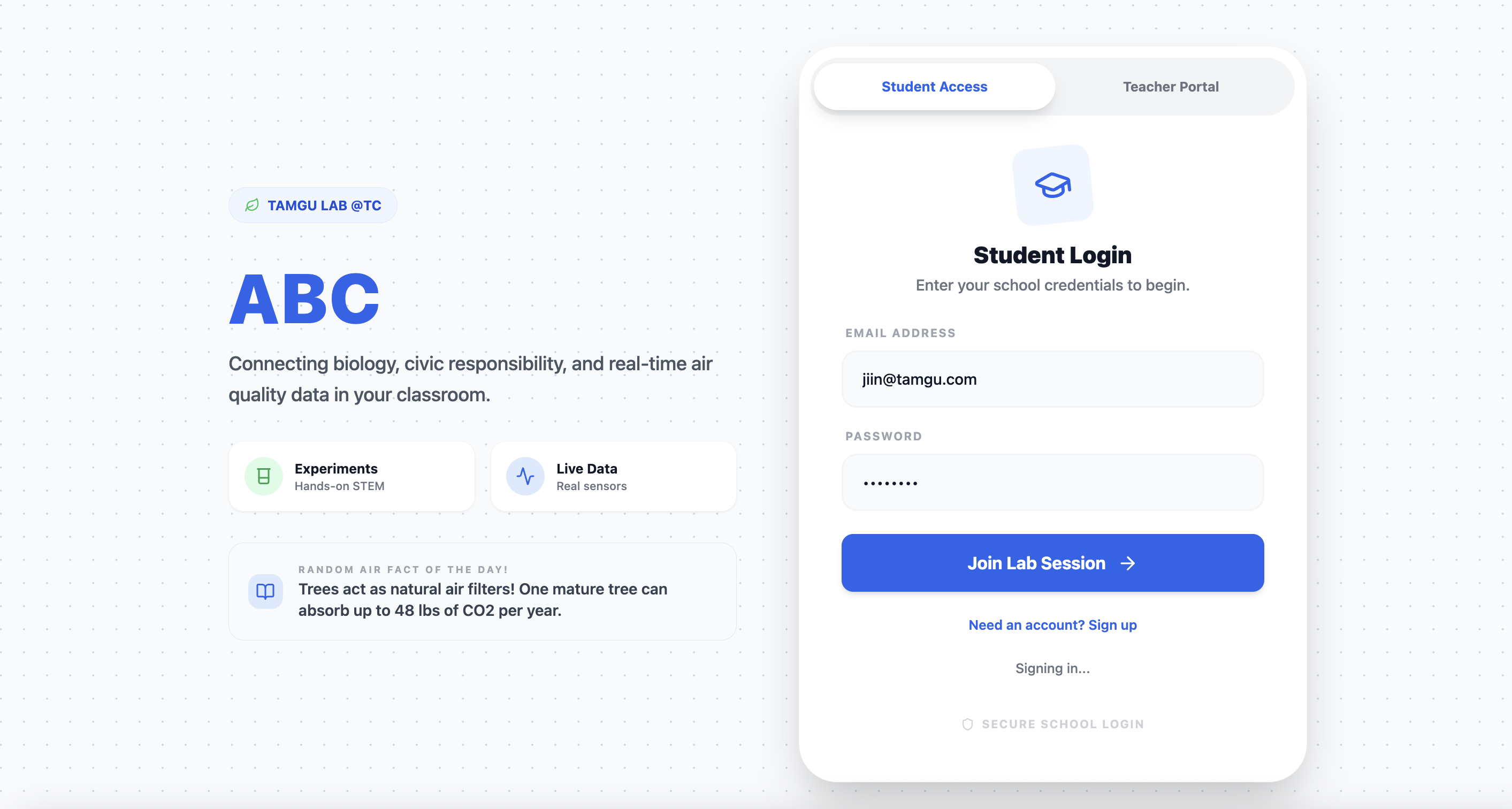
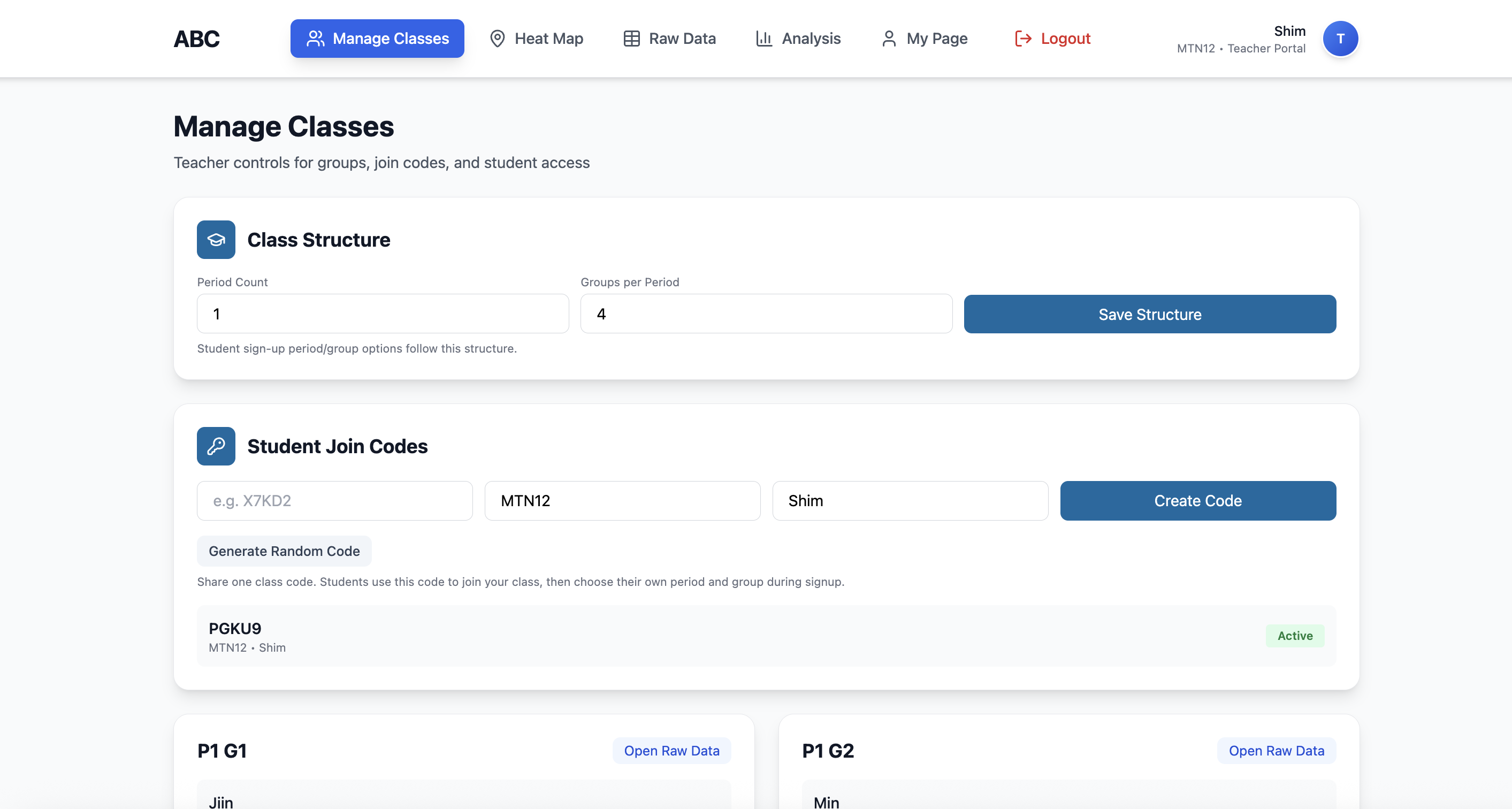
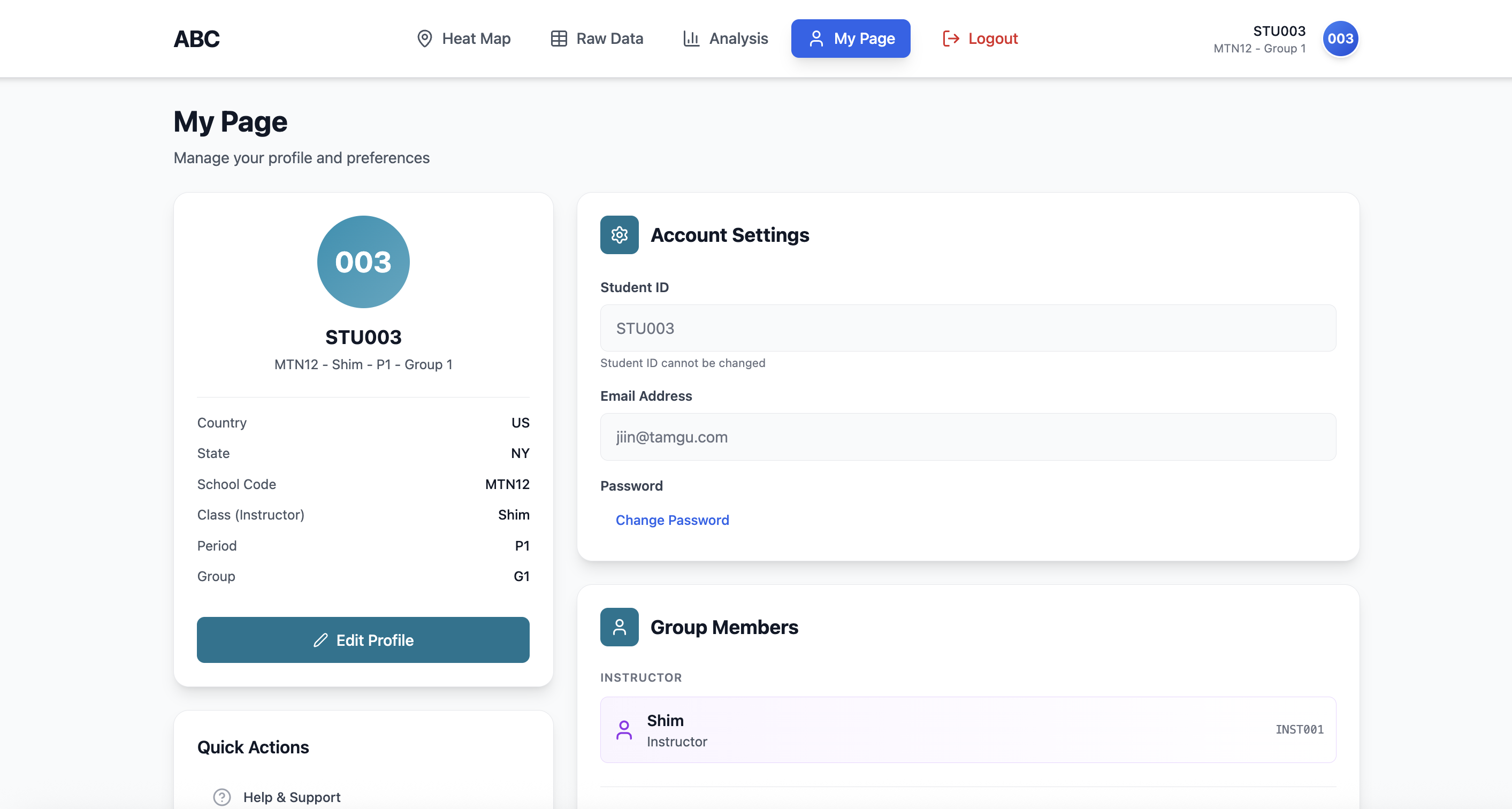
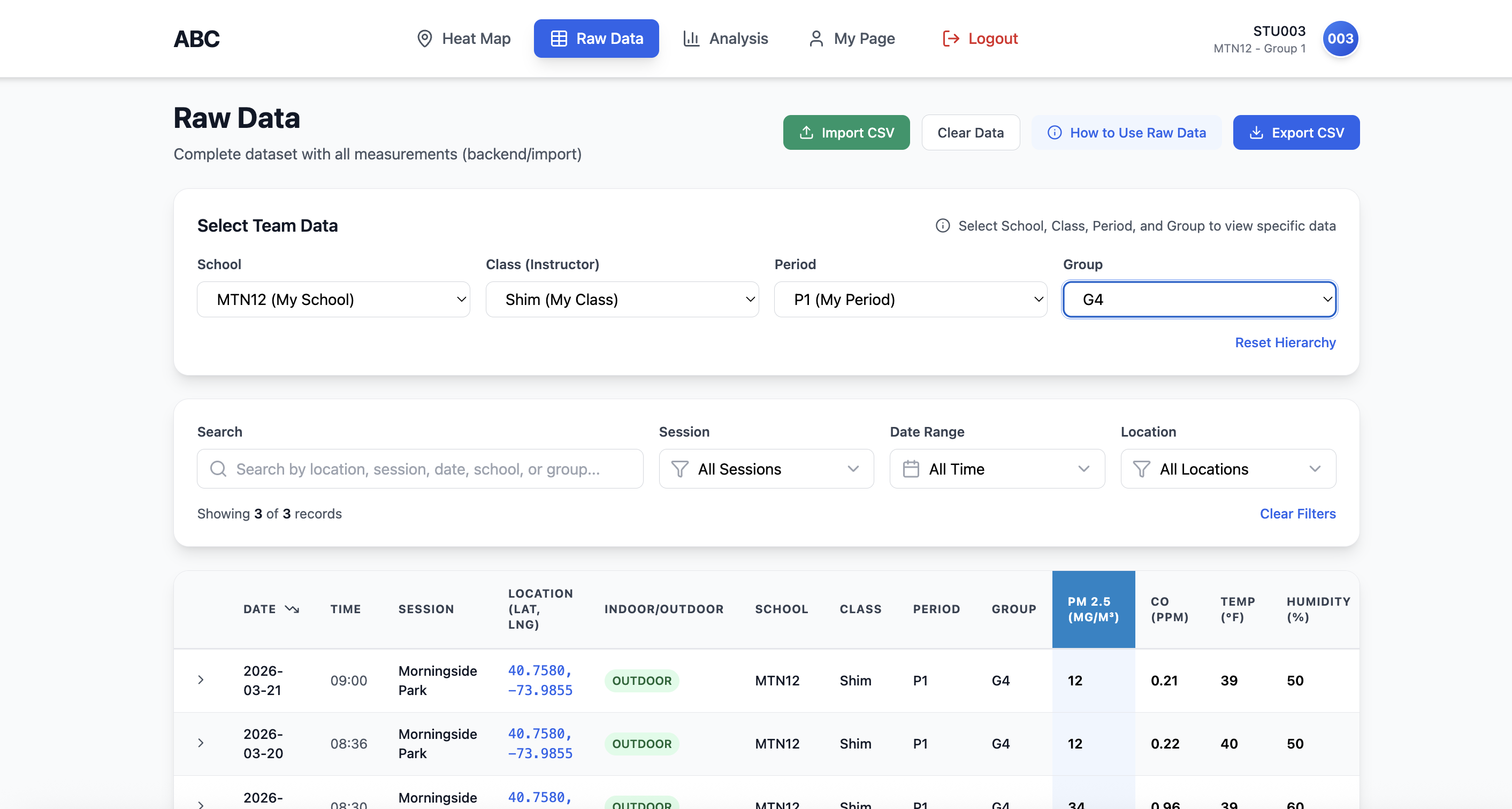
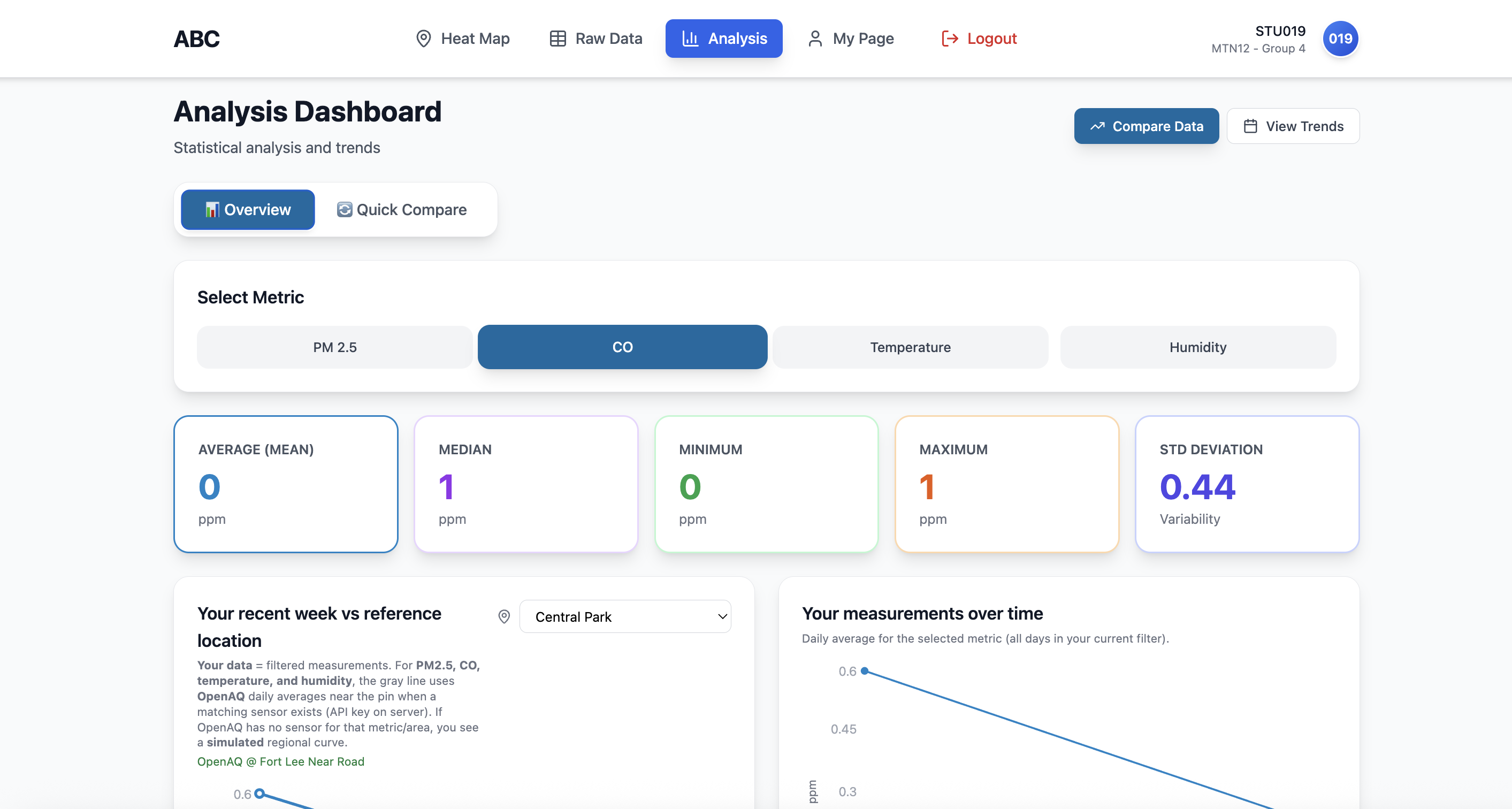
Version 3 is the direct response to the UX audit. Almost everything flagged as high priority got addressed: proper login flow with Student / Teacher portal separation, Manage Classes for teachers (Join Code generation, class structure setup), Analysis now shows your data against OpenAQ reference location — so students can actually compare their measurements to a real baseline. Raw Data now has real field measurements in it (Morningside Park, March 2026).

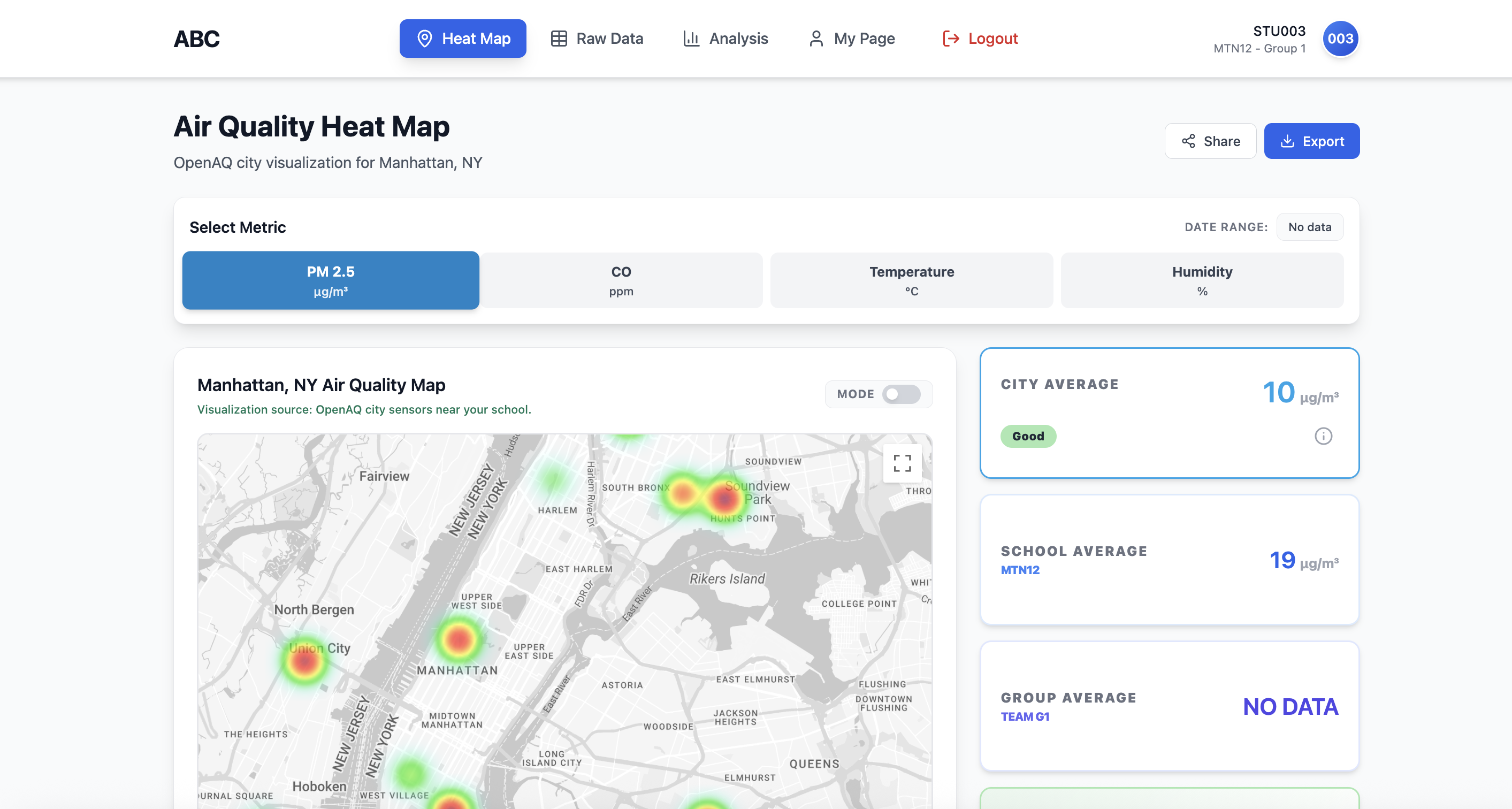
The platform also now properly surfaces the three-tier comparison in Heat Map: City Average, School Average, and Group Average side by side — the core of what makes SSI inquiry possible.

V3 Login - ABC landing page with Student Access / Teacher Portal toggle, Student Login form
V3 Teacher view - Manage Classes, Join Code PGKU9, class structure, student groups P1 G1/G2
V3 Student Heat Map - Manhattan Air Quality, City Average 10 Good, School Average 19, Group No Data
V3 Raw Data - Morningside Park measurements, G4 filter, 3 records shown
V3 Analysis - CO stats, Your recent week vs reference location, OpenAQ Fort Lee Near Road
V3 My Page - STU003, MTN12 Group 1, account settings

Login · Teacher Portal · Heat Map · Raw Data · Analysis · My Page

Audit-driven rebuild Student / Teacher portal split OpenAQ reference comparison Real field data 3-tier heat map Join Code UX fixed
Current deployed version · App integration in progress · School launch target: Summer 2027

Mobile app → sensor sync → school launch.

The mobile app is currently in development. Once complete, students will connect directly to the sensor via the app — replacing the current CSV upload flow with real-time wireless data transmission. No laptop needed in the field.

A school launch is planned for Summer 2027 with a contracted partner school. The curriculum guide (Student Guide + Teacher Guide) is written and iterated. The hardware is ready. The platform is live.

Mobile app · In development Wireless sensor sync School partnership Launch: Summer 2027